Everything the harness does, and how to drive it.
Marble is a self-hosted agent harness — one binary, your machine, your memory on disk. This is the complete feature guide: the agent loop, tools, models and image generation, cron, turn sinks, memory, Clerk, remote computer use, and the experimental edges.
What Marble is
Marble is a self-hosted agent harness. You run one process on a machine you
own — an old laptop, a NUC, a cheap VPS — and reach it over a browser, usually over Tailscale.
It talks to any OpenAI-compatible chat API: a local llama.cpp/vLLM/Ollama endpoint,
or a hosted provider.
The design assumption is that your memory, secrets and transcripts stay on disk you control. There is no Marble account and no Marble cloud. The harness is the whole product: one binary, one SQLite file, plain-Markdown transcripts.
The mental model
Four things do all the work:
- A session — a conversation. Sessions are listed in the left sidebar and each
has a short id reachable at
/s/{{id}}. - A turn — one user message. The harness loops model ↔ tools until the model stops calling tools, then emits a final reply. Everything you see in the transcript is a turn in progress or finished.
- Tools — the model's hands. Filesystem, shell, web, memory, cron, sinks, image generation, and optionally a paired desktop machine.
- Memory — sessions, daily logs, and intentional knowledge under
~/.marble/. This is what makes the harness improve instead of resetting.
Everything else in these docs is a detail of those four.
Install and first run
Prebuilt binaries for Linux (amd64/arm64) and macOS (arm64) are on GitHub Releases. The landing page has copy-paste install blocks for Linux, macOS, user-systemd and LaunchAgent — including a prompt you can hand to a coding agent to do the install for you.
You need one OpenAI-compatible endpoint (/v1/chat/completions). Local models need
no API key. Hosted providers take the name of an env var, never the secret.
mkdir -p ~/.local/bin
cd /tmp
VER=v0.4.9
curl -fsSLO "https://github.com/rendicott/marble/releases/download/${VER}/marble-harness-linux-amd64"
curl -fsSLO "https://github.com/rendicott/marble/releases/download/${VER}/SHA256SUMS"
sha256sum -c SHA256SUMS --ignore-missing
chmod +x marble-harness-linux-amd64
mv marble-harness-linux-amd64 ~/.local/bin/marble-harness
marble-harness --versionsystemctl --user), not a
system-wide service and not a process owned by a coding agent. One process owns
$MEMORY via a file lock — two harnesses on the same memory dir will fight over it.Then open http://127.0.0.1:8080/ — or the Tailscale address if you want it from
your phone.
The interface
The whole UI is one page. Left is navigation, right is the transcript.
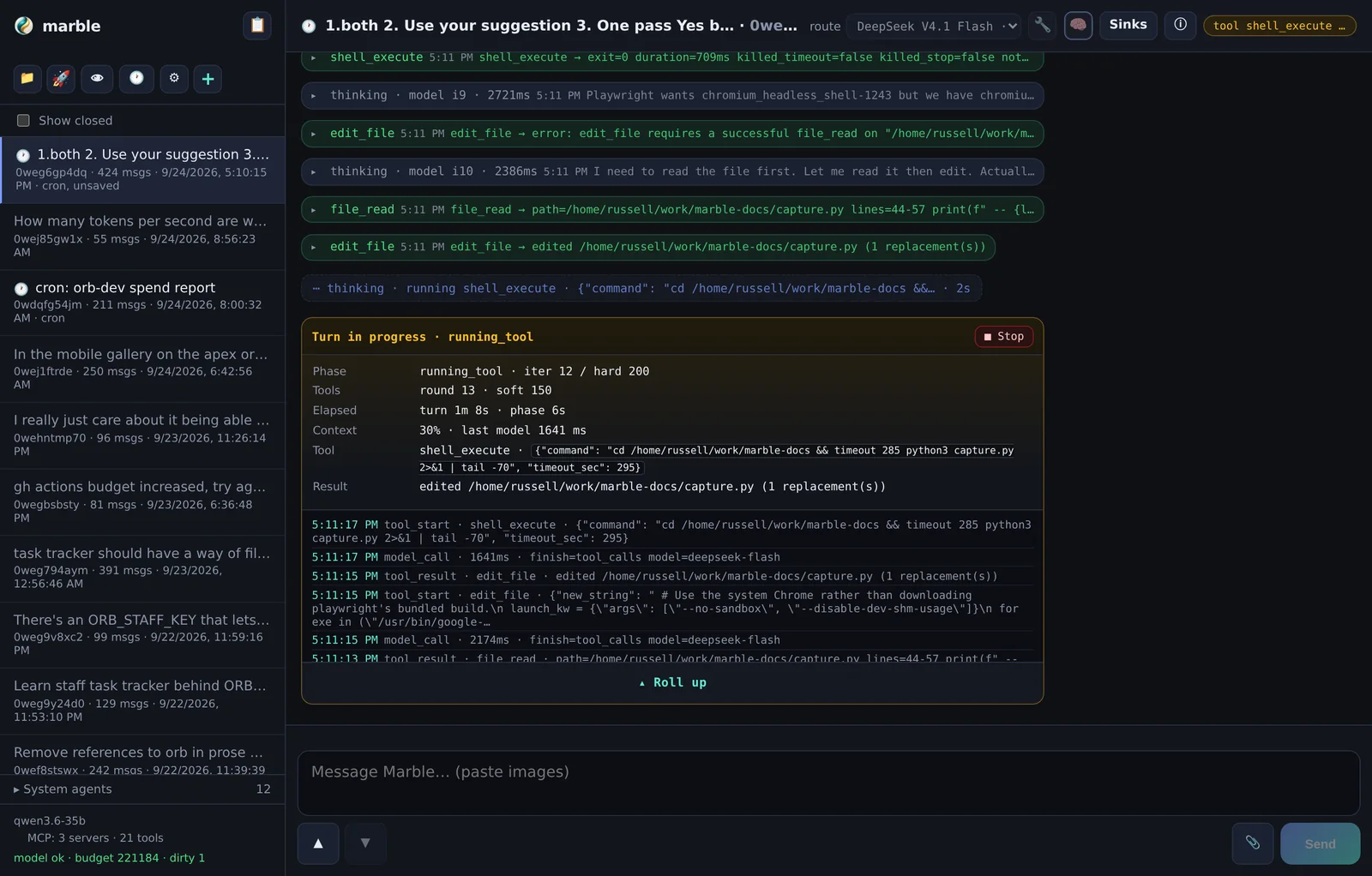
Sidebar
The brand row gives you 📋 Clerk — the attention dashboard. Below it:
| Control | What it does |
|---|---|
| Sessions ▾ | Expand/collapse the session list. Show closed reveals archived sessions. |
| 📁 | Workspace explorer — browse, edit and upload files inside the tool jail. |
| 🚀 | Published mpub pages, in a new tab. |
| 👁 | System prompt & every-turn context. |
| 🕐 | Cron jobs — durable recurring schedules. |
| ⚙ | Settings — models, agents, secrets, computers, sinks, TTS, UI, MCP. |
| + | New session. |
At the bottom of the sidebar you get the active model, an MCP chip, and live health lines.
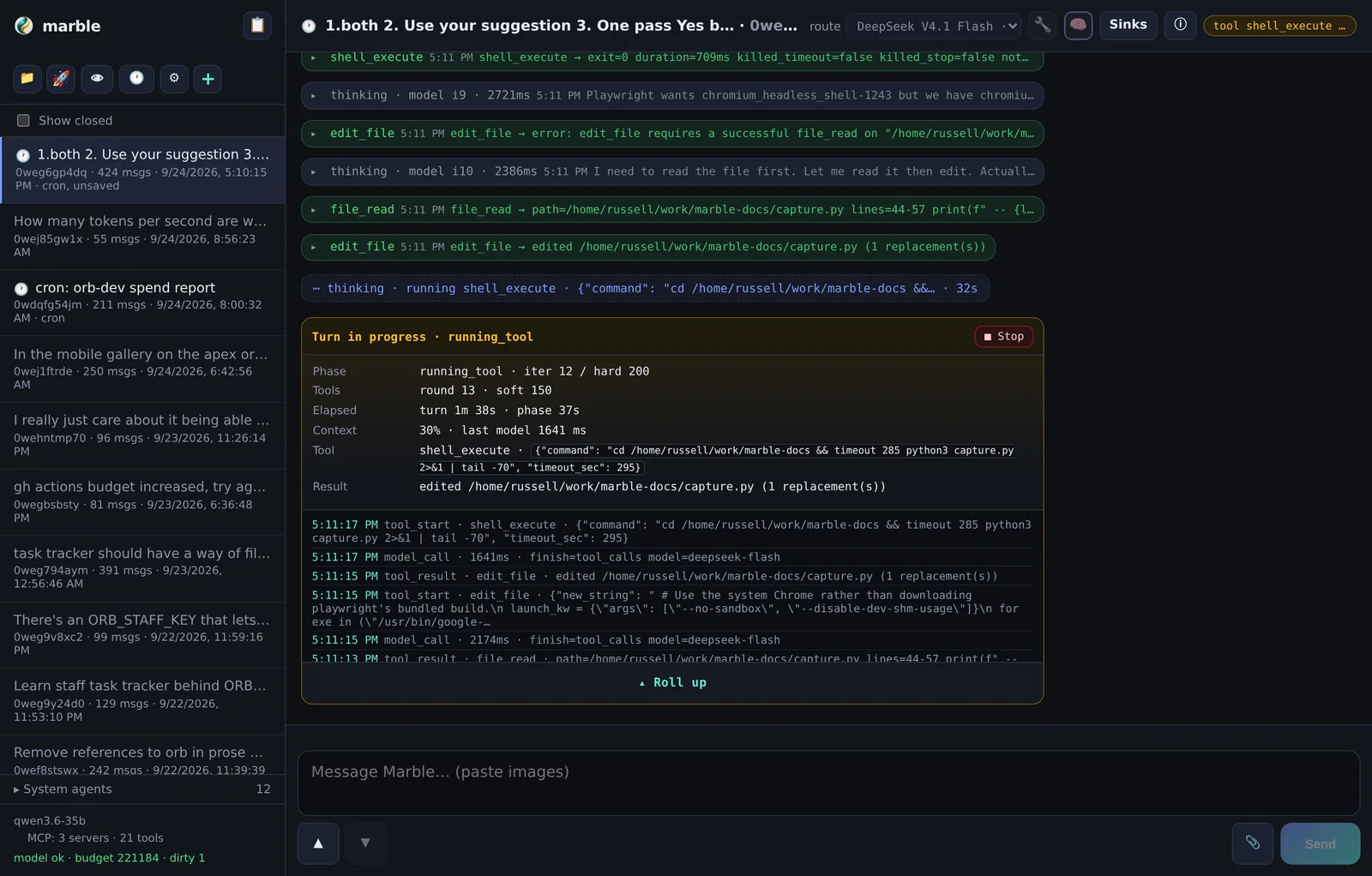
Main pane
The header shows the session title, the route picker (which model or subprocess this session uses), and two density toggles: 🔧 for tool results and 🧠 for thinking. Both are right-clickable — see Gestures.
Below that: the transcript, then the composer. The composer takes pasted images, dragged files and the 📎 paperclip; staged files appear as chips and Send waits for uploads to finish.
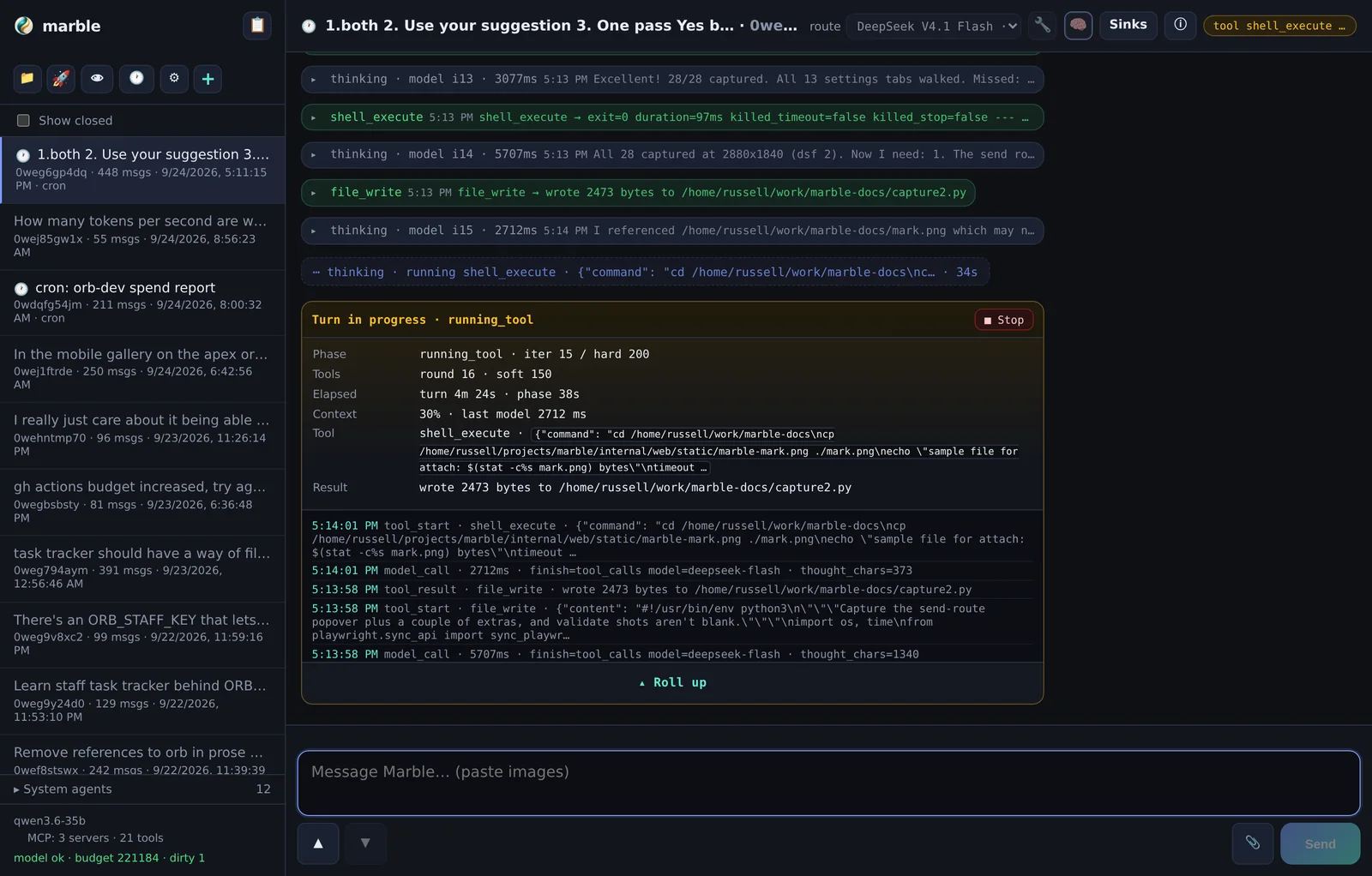
Turn progress and density
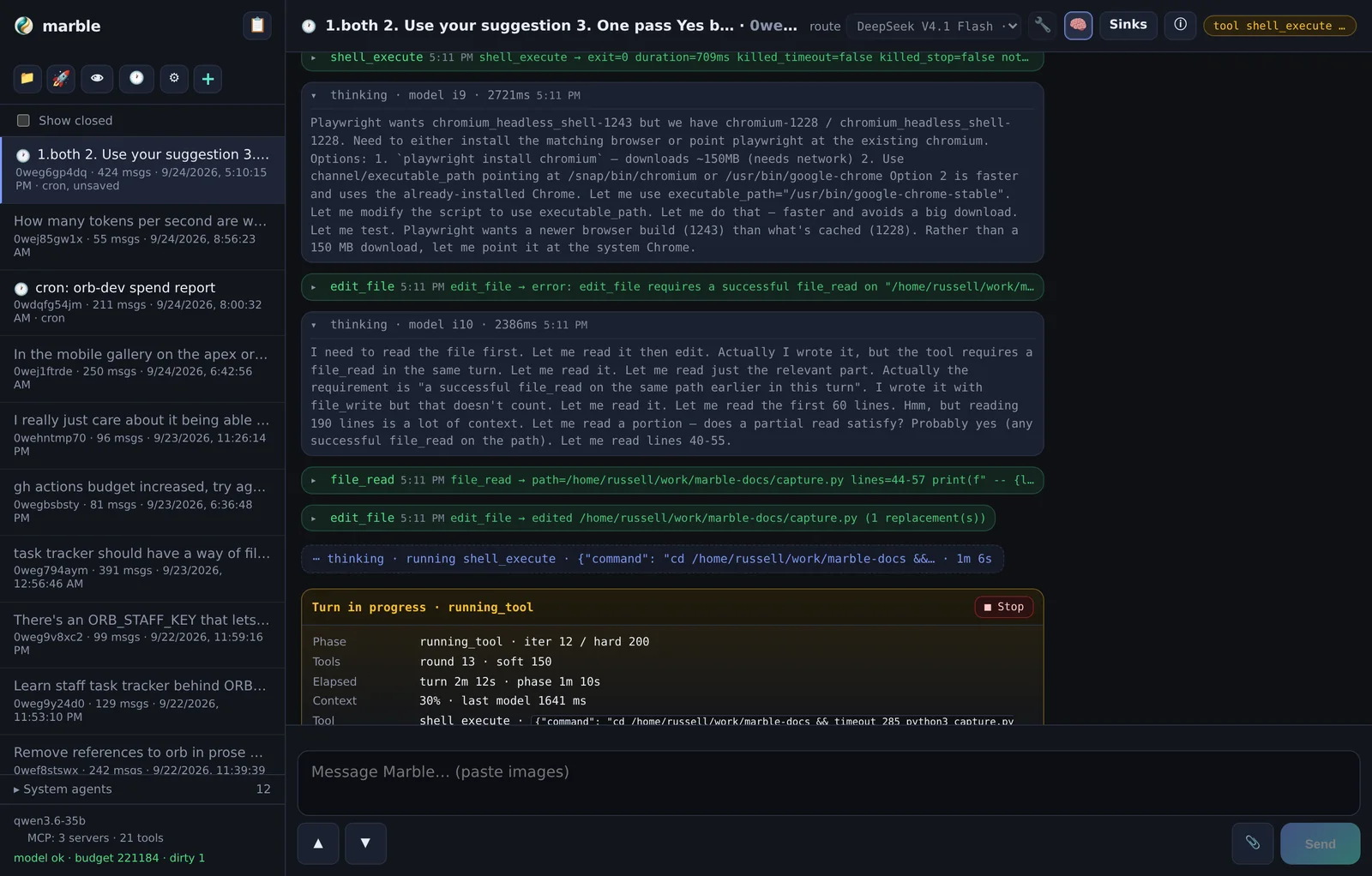
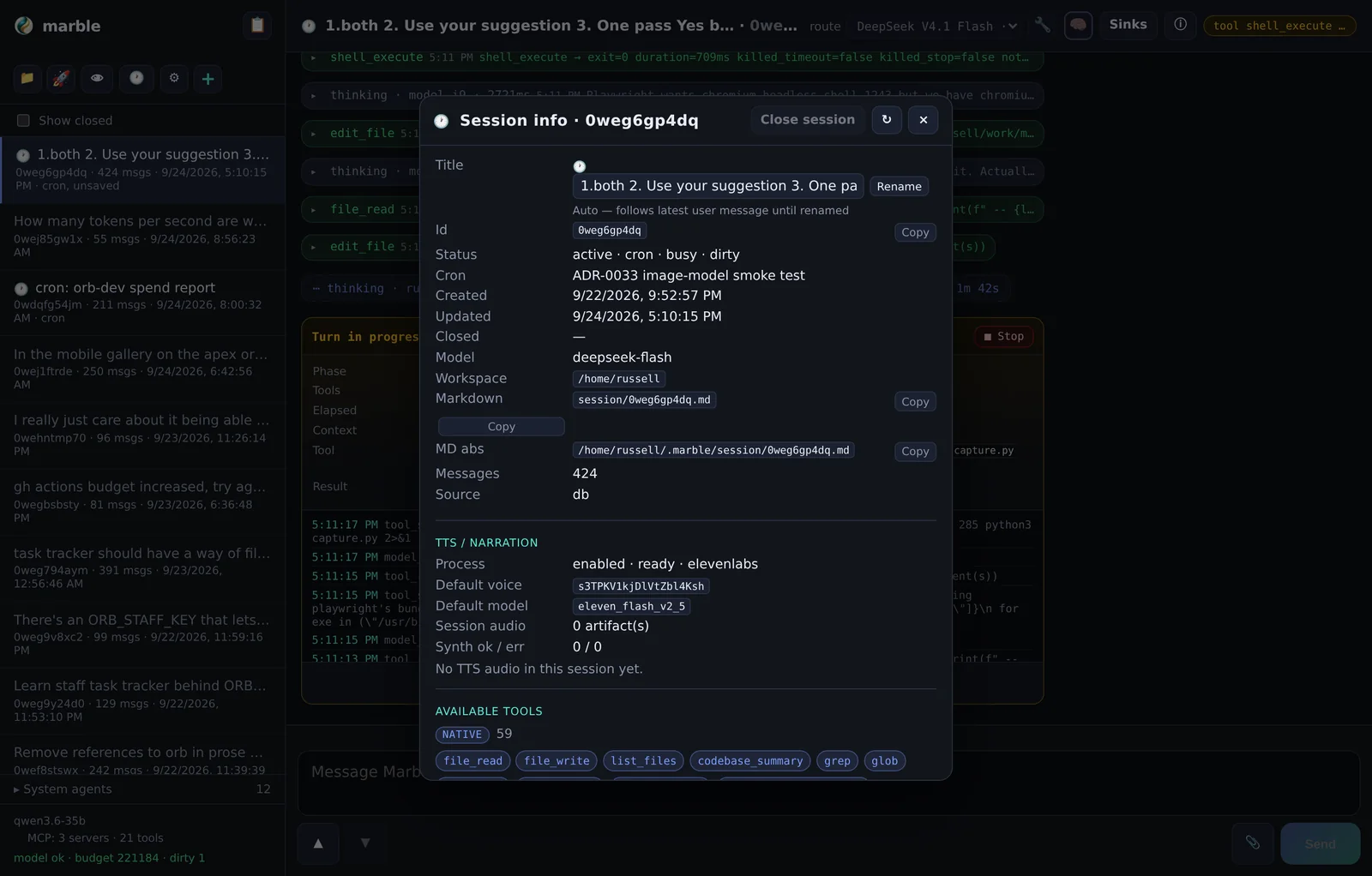
While a turn runs you get a live progress block — phase, iteration, tool rounds, context percentage, and a Stop button that cancels the turn (process-group kill, so backgrounded children cannot outlive it).
Tool rows are collapsed by default (ADR-0026) to keep long turns readable; the 🔧 and 🧠 toggles expand them, and each toggle remembers separately. Completed turns auto-collapse and can be re-opened with Show steps.
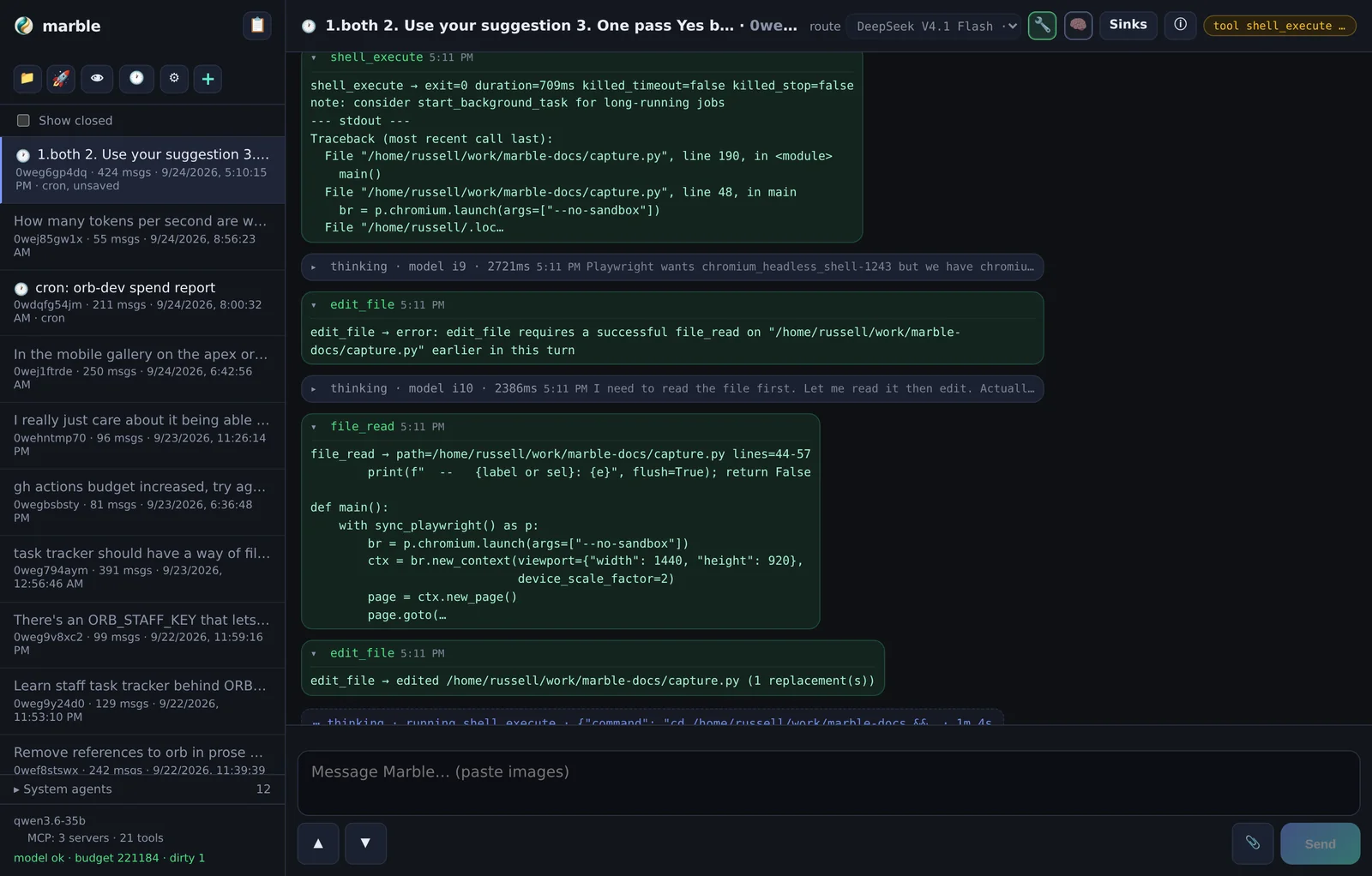
Themes
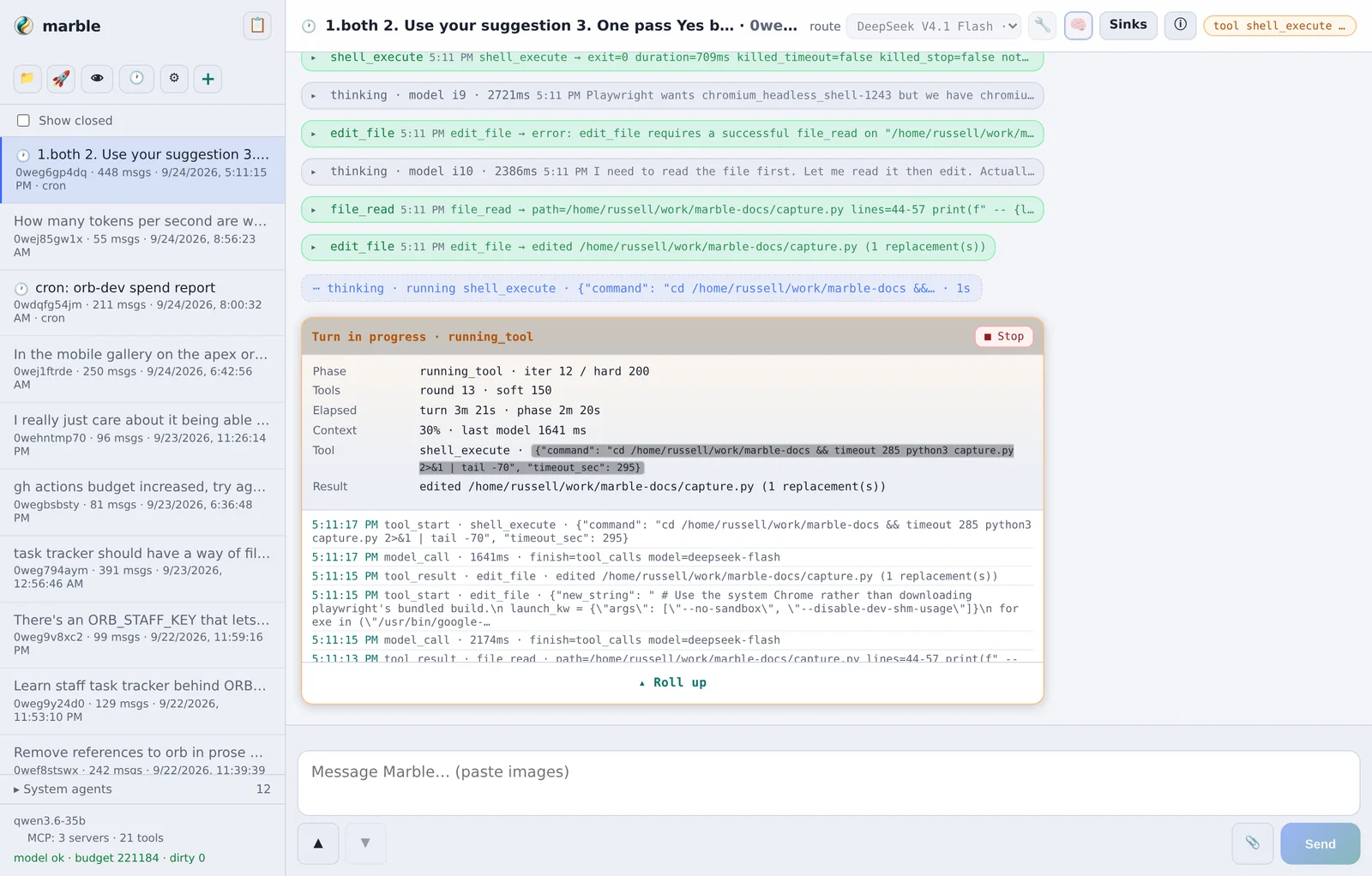
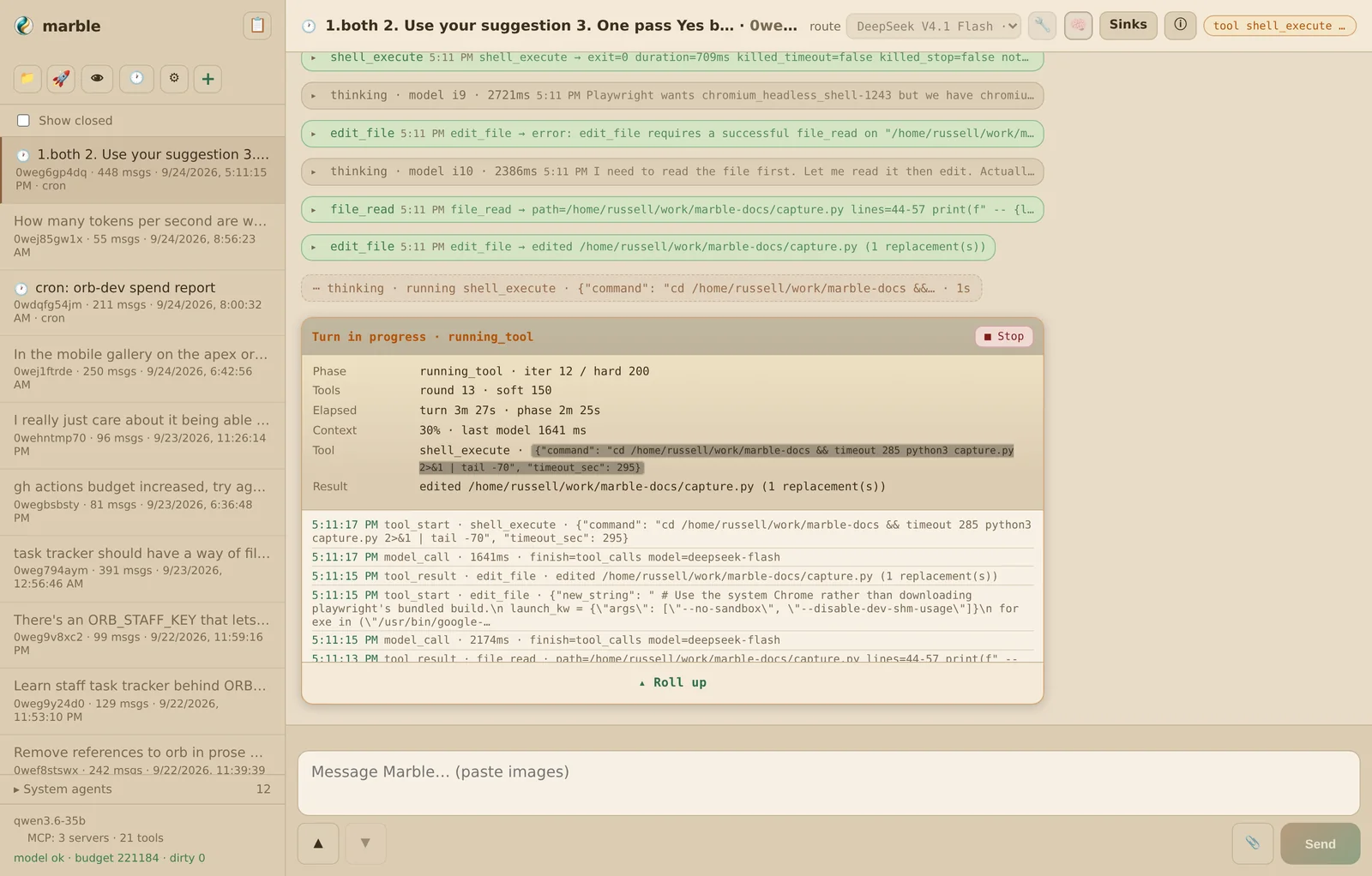
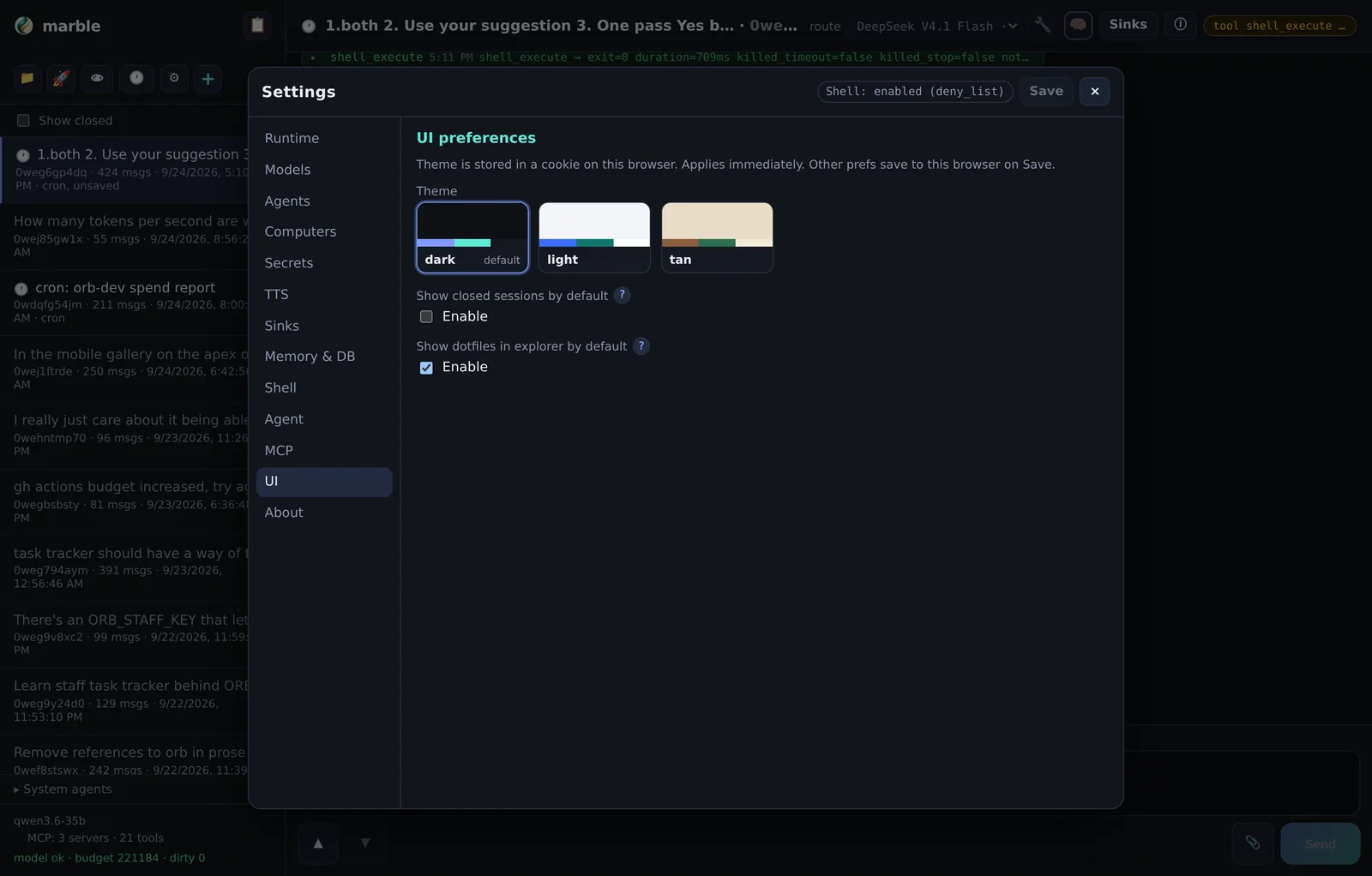
Three themes — dark, light and tan — chosen in Settings → UI and remembered in a cookie (ADR-0032).
On a phone
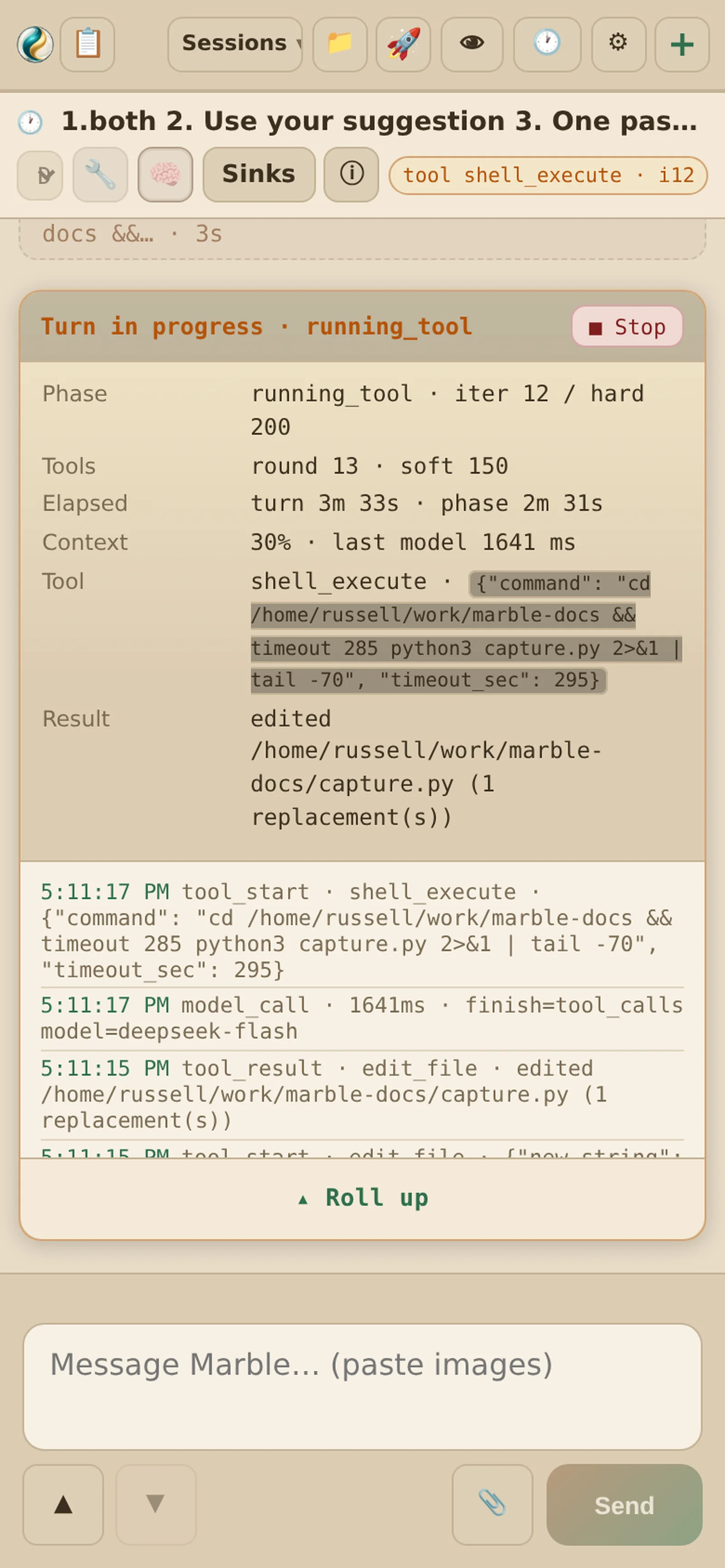
The UI is mobile-first where it counts: composer, panels and session chrome are all usable on a small screen. The same two long-presses work as touch gestures on mobile, where there is no right-click.
Long-press and right-click
Two of the most useful controls have no visible affordance — they live behind a long-press on mobile / right-click on desktop.
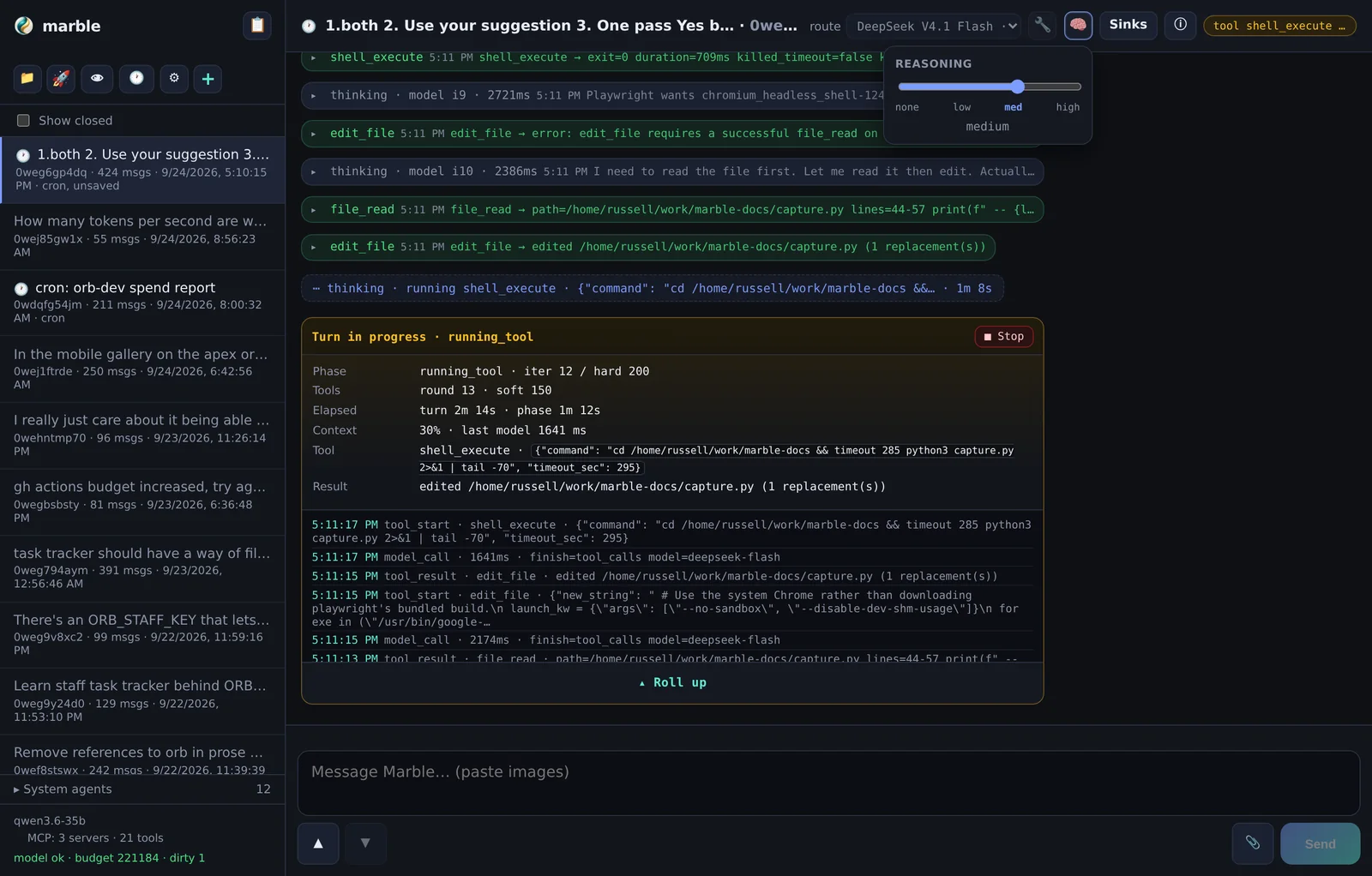
🧠 Reasoning effort
Plain click expands or collapses the model's thinking. Long-press (or right-click) opens a slider for reasoning effort: none · low · med · high. This is sent per-turn to endpoints that support it.
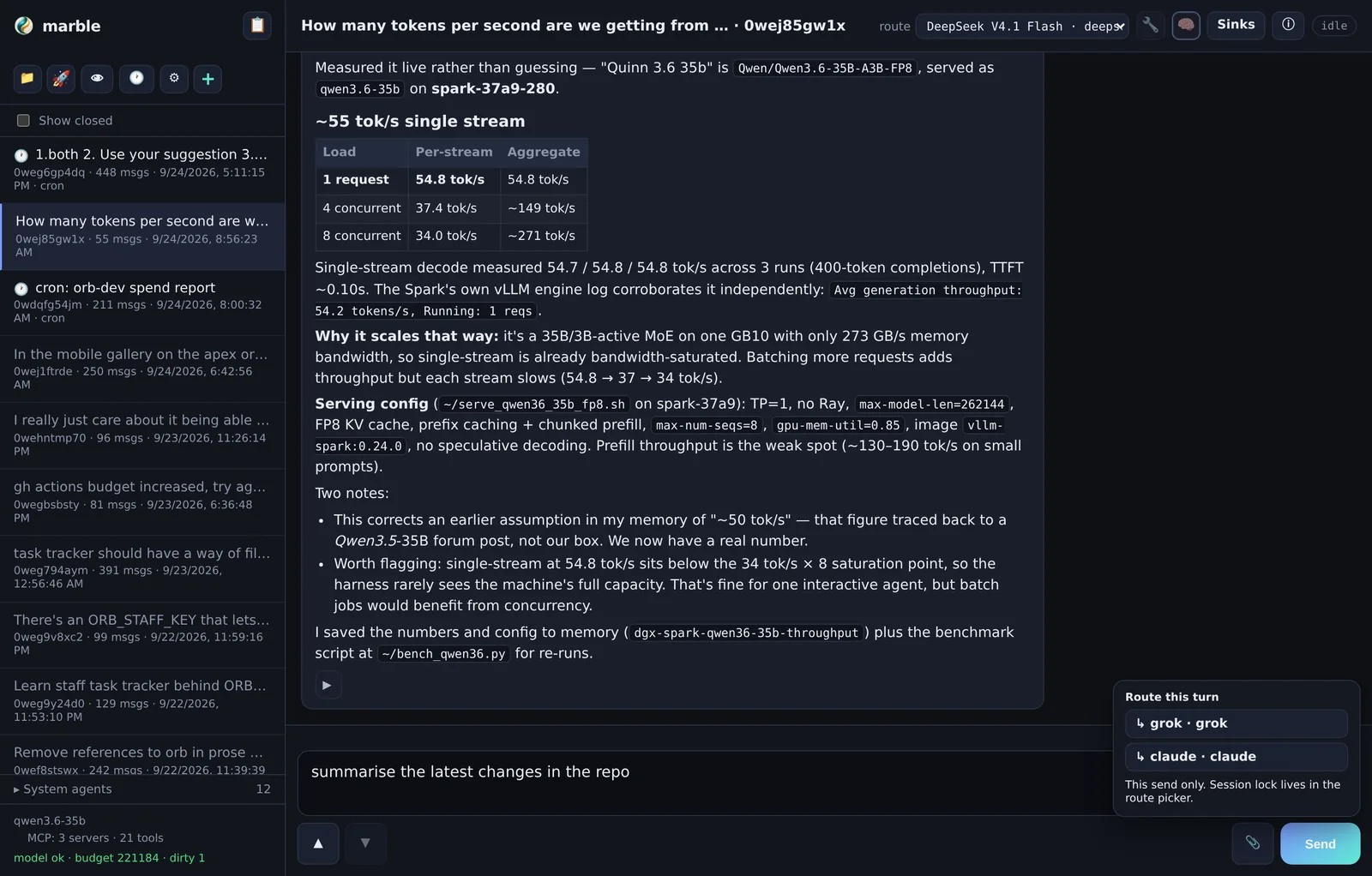
Send → route this turn
Plain click sends. Long-press (or right-click) opens the route popover, which sends this one turn to a subprocess agent instead of the session model — useful for handing a single big task to Grok or Claude without switching the whole session.
Where the session-level version lives
Sending one turn elsewhere is the gesture. Sending every turn elsewhere is the route picker in the main header — that locks the session to a catalog model or a subprocess preset. See Agent presets.
How a turn runs
A turn is a loop. The harness sends the transcript plus tool definitions to the model; the model either calls tools or answers. Tool calls are executed, appended, and the loop repeats until the model stops calling tools.
Budgets
| Budget | Default | Behaviour at the limit |
|---|---|---|
| Tool rounds — soft | 150 | Advisory injected into the conversation; the model is told to wrap up. |
| Tool rounds — hard | 200 | Turn stops. Near the cap the harness auto-continues rather than dying mid-task. |
| Wall clock — soft | 20 min | Advisory. |
| Wall clock — hard | 2 h | Hard turn deadline. |
| Context | per model | History trimmed to the active model's limits; soft warn, then auto-compact. |
Context budget, compaction and the system agents
Long sessions outgrow the model's window. Marble handles this by trimming history to the active model's limits and, past a threshold, running an LLM compaction pass — a separate system agent summarises older history and the transcript continues from the summary. Compaction sessions appear in their own sidebar section so you can inspect what was kept.
Auto-compact also considers the shape of the turn: computer-heavy turns get more retained history than text-only ones, because screenshots and pixel coordinates are expensive to re-derive.
Anti-thrash
Long agent loops fail in characteristic ways, so several are blocked outright (ADR-0022):
identical repeated tool calls fail rather than spin, sleep-only shell commands are refused,
a stuck computer_* sequence escalates instead of looping, and browser
eval mutations are capped.
Stopping
Stop cancels the turn and kills the process group, so a backgrounded server
started by shell_execute cannot hang the turn. For work that legitimately runs long,
use background tasks instead of backgrounding inside a call.
System prompt and every-turn context
The 👁 button opens two things side by side: the immutable system prompt and your editable soul.
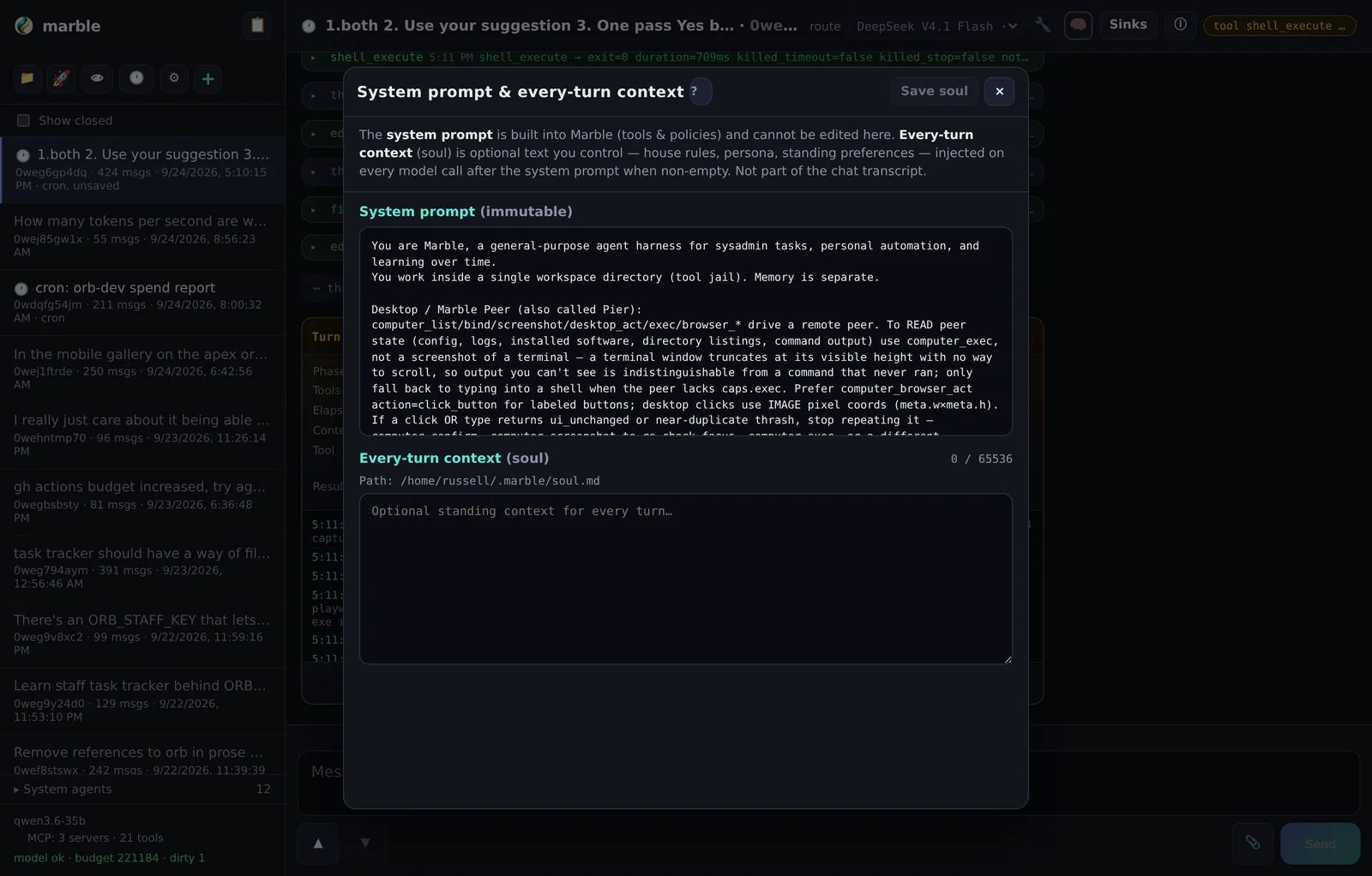
The system prompt
Read-only. It contains the harness's operating instructions — tool conventions, memory strategy, safety expectations, and the current environment. You can inspect it, not edit it. This is deliberate: the harness relies on those instructions being intact.
The soul — ~/.marble/soul.md
The soul is an optional file injected as a second system message on every turn (ADR-0013). It is the cheapest place to put things you always want the model to know:
- who you are and how you like to be spoken to
- standing preferences — "always use metric", "never commit without asking"
- pointers to your own conventions and where things live
# soul.md — injected every turn

I run a small fleet of machines. Prefer concrete commands over prose.
When I ask for a file, give me the path. Never push without asking.
My projects live in ~/projects; notes live in ~/.marble/knowledge.memory_write knowledge, which is retrieved on demand rather
than always injected.Soul vs. knowledge vs. skills
| Mechanism | Loaded | Use it for |
|---|---|---|
soul.md | Every turn, always | Identity, standing preferences, global constraints. |
memory_write → knowledge/ | Retrieved on demand via memory_search | Facts you want next time but not every time. |
| Skills | Loaded explicitly via skill_load | Procedural playbooks — multi-step recipes. |
Models and providers
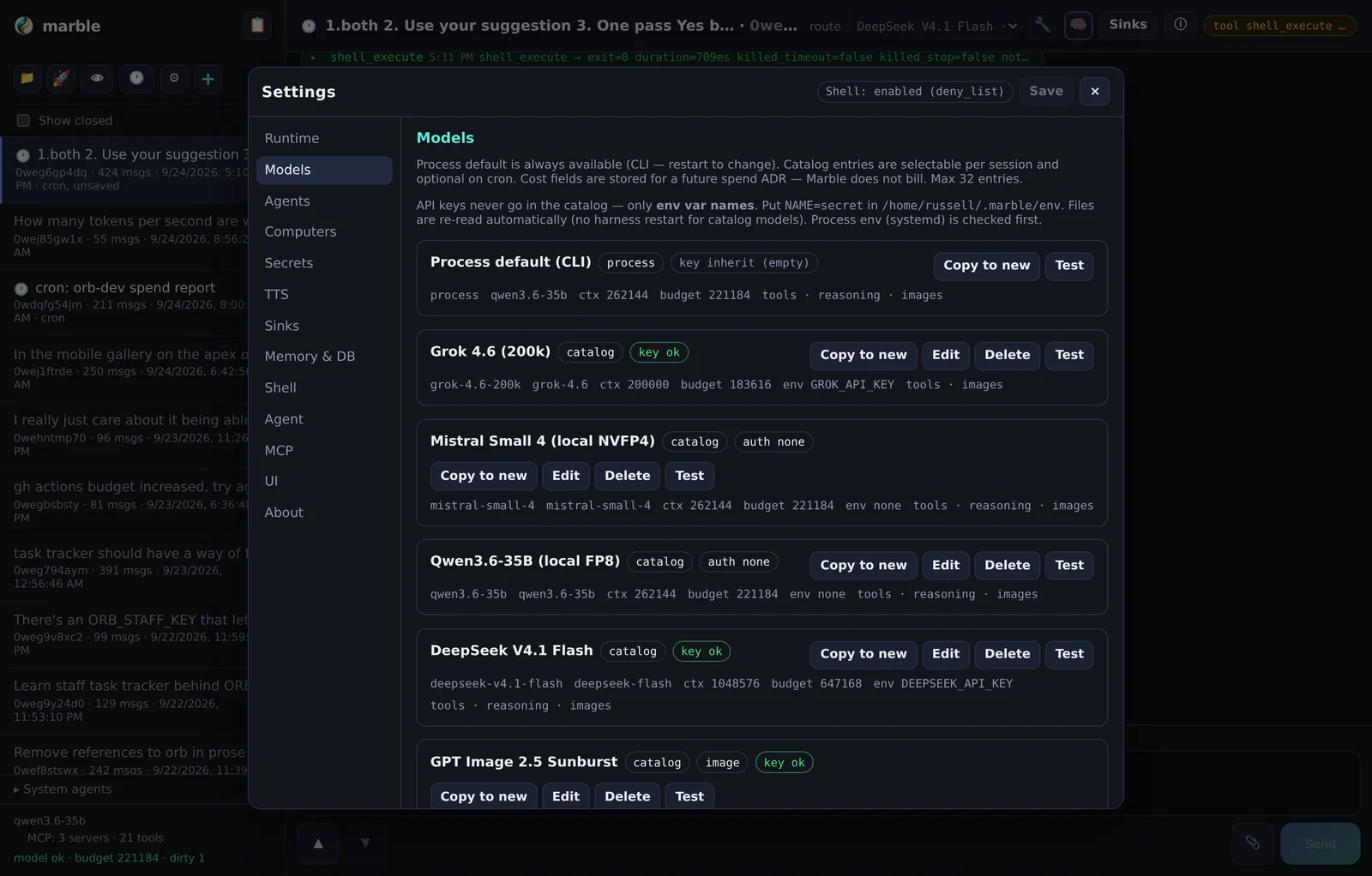
There is always a process default model — whatever you passed on the command line. On top of that, a catalog (ADR-0018) holds extra endpoints and models you can switch to per session or pin on a cron job.
Catalog entries
Each row stores:
| Field | Meaning |
|---|---|
| id / display name | How it appears in the route picker and cron pin. |
| model | The string sent to the provider. |
| base_url | Provider root, e.g. https://api.openai.com/v1. |
| api_key_env | Env var name — never the key itself. |
| kind | chat (default) or image. |
| capabilities | images / reasoning / tools / voice. |
| limits | context window, max output, budget. |
The agent can manage this catalog itself through model_list, model_get,
model_add and model_update — including researching a provider's base URL
and limits with the web tools first. Cap is 32 entries.
Local endpoints
No key by default: leave api_key_env empty and no Authorization header
is sent. Point base_url at your own llama.cpp, vLLM, or Ollama server.
$MEMORY/env, which the model never sees — Settings → Secrets is a model bypass:
browser → HTTP API → file write.Image generation and SVG
Image models are ordinary catalog entries with kind=image
(ADR-0033). They are not session models — you cannot route a conversation to one — and the
harness enforces that rather than letting the request fail at the provider.
gpt-image-* are served on
/v1/images/generations, not /v1/chat/completions. Registering one as a
chat model produces a confusing HTTP 404 at the provider. Marking it
kind=image is the fix; the harness then refuses to use it as a session model and
points you at generate_image instead.The generate_image tool
Your chat model calls generate_image, which resolves an image catalog entry, calls
the Images API, writes the file into the workspace and attaches it to the chat.
| Argument | Default | Notes |
|---|---|---|
prompt | — | Required. |
path | generated/… | Workspace-relative output path. |
model_id | first enabled image row | Which catalog entry to use. |
size | 1024x1024 | Also 1024x1536, 1536x1024, auto. |
quality | medium | low·medium·high·xhigh·max·auto. |
background | transparent | transparent·opaque·auto. |
output_format | png | png·jpeg·webp. |
n | 1 | Up to 4. |
vectorize | false | Also trace the raster to a real SVG. |
attach | true | Stage a durable chat attachment. |
Getting an SVG out
Image models produce rasters — they cannot emit SVG. For a true vector logo the
tool traces the raster it just produced (vectorize=true) and writes real
<path> geometry, not a raster wrapped in an SVG envelope. Worth checking any
vectoriser's output for <image> tags — if they are present, it is not vector.
low and high is roughly 30×. Use low for composition and
iterate up only once the prompt is right.Transparent backgrounds
background=transparent is the default because it is what most logo and asset work
wants, and because a transparent PNG composites cleanly onto any page or app chrome.
The tool reference
These are the tools the model can call. The list is long because the harness is meant to be capable without plugins.
Filesystem and edits
| Tool | Purpose |
|---|---|
file_read / file_write | Read and write text files. |
list_files / glob / grep | Navigate, find and search. |
codebase_summary | Project tree with sizes. |
edit_file | Targeted replacement — requires a prior read in the same turn. |
apply_patch | Atomic multi-file edits with rollback on failure. |
Everything runs inside the tool jail: the workspace directory. Paths that escape it are refused.
Shell
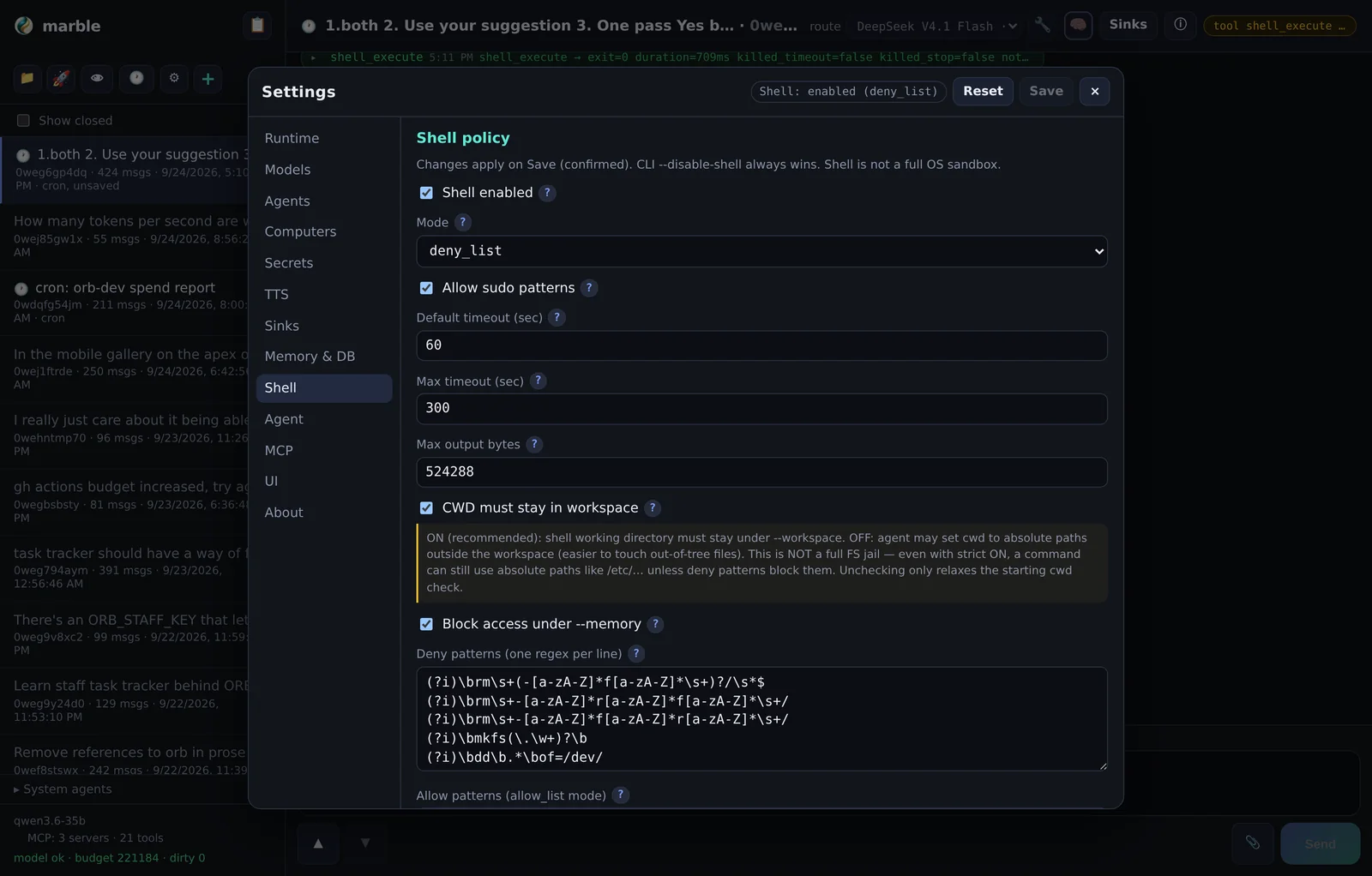
shell_execute runs commands on the harness host under a deny-list policy with
timeouts and output caps, and can be disabled entirely with --disable-shell.
For anything long-running use the background-task trio instead of backgrounding inside a call — they give you a task id, survive the turn, and are pollable:
| Tool | Purpose |
|---|---|
start_background_task | Start a long job; returns a task_id. |
check_background_task | Status, exit code and tail of one task or all of them. |
kill_background_task | Terminate (SIGTERM, or force). |
schedule_continuation | One-shot delayed resume: after N seconds and/or when a background task finishes. |
Web and MCP
| Tool | Purpose |
|---|---|
web_fetch | Fetch a URL as markdown/JSON. LAN allowed; cloud metadata blocked. |
mcp_* | Tools from Model Context Protocol servers configured in mcp.json. |
Research pattern: use an MCP search server (e.g. Tavily) to discover real URLs, then
web_fetch the ones worth reading. Do not invent URLs.
Memory and skills
| Tool | Purpose |
|---|---|
memory_search / memory_fetch | Search and read session, daily and knowledge memory. |
memory_write | Persist intentional knowledge under knowledge/. |
skill_search / skill_load | Find and load procedural playbooks. |
get_context_usage / session_compact | Inspect context and compact deliberately. |
Attachments and images
| Tool | Purpose |
|---|---|
message_attach | Workspace file → durable chat chip. |
attach_from_url | Remote image URL → chip, with provenance in meta_json. |
generate_image | Prompt → image in the workspace (+ optional SVG trace). |
attach_file | Ephemeral workspace preview that vanishes with the turn. |
Publishing
mpub_publish / mpub_list / mpub_get /
mpub_unpublish / mpub_set_visibility — see mpub.
Orchestration
| Tool | Purpose |
|---|---|
call_agent_process | Run an external coding agent headless. See dedicated section. |
cron_* | Durable recurring schedules. See Cron. |
manage_sinks | Mirror finished turns to external channels. See Sinks. |
agent_preset_* / session_set_agent_preset | Subprocess routing. See Agent presets. |
computer_* | Remote desktop/browser. See Computer use. |
call_agent_process
call_agent_process runs an external coding agent headless as a
subprocess and returns its output (ADR-0014). Instead of you pasting a task into another tool, the
harness hands it over directly.
| Parameter | Purpose |
|---|---|
format | grok or claude — which CLI driver to use. |
prompt | Short, implement-focused task description. |
cwd / workdir | Where it runs. Prefer a real repo root, not an empty dir. |
background | Return a task_id immediately — preferred for multi-minute work. |
extra_args | Allowlisted CLI flags such as --effort, --max-turns. |
context | What session context to inject — full+memory by default, or none for isolated runs. |
timeout_sec | Wall timeout. |
Why you would use it
- Volume work — a refactor across twenty files is better handed to an agent with its own context window than driven tool-call by tool-call.
- Different strengths — use a fast agent for mechanical edits and the session model for judgement.
- Isolation —
context=nonegives a throwaway run with no transcript leakage, which is what you want for a one-off experiment.
progress.cwd_mtime_changed and
stuck_hint, not by "the poll output looks the same" — a working agent editing files
quietly looks identical to a stalled one if you only diff the JSON. Do not kill a run under
5–8 minutes unless stuck_hint says so.Context injection
By default a subprocess receives the session transcript plus relevant memory, so it starts
knowing what you were doing. That is usually right and occasionally wrong — a large transcript
wastes the child's window and can bias it. context=[...] picks sources explicitly
(compact, full, memory, read_paths);
context=none sends nothing (ADR-0031).
Agent presets and routing
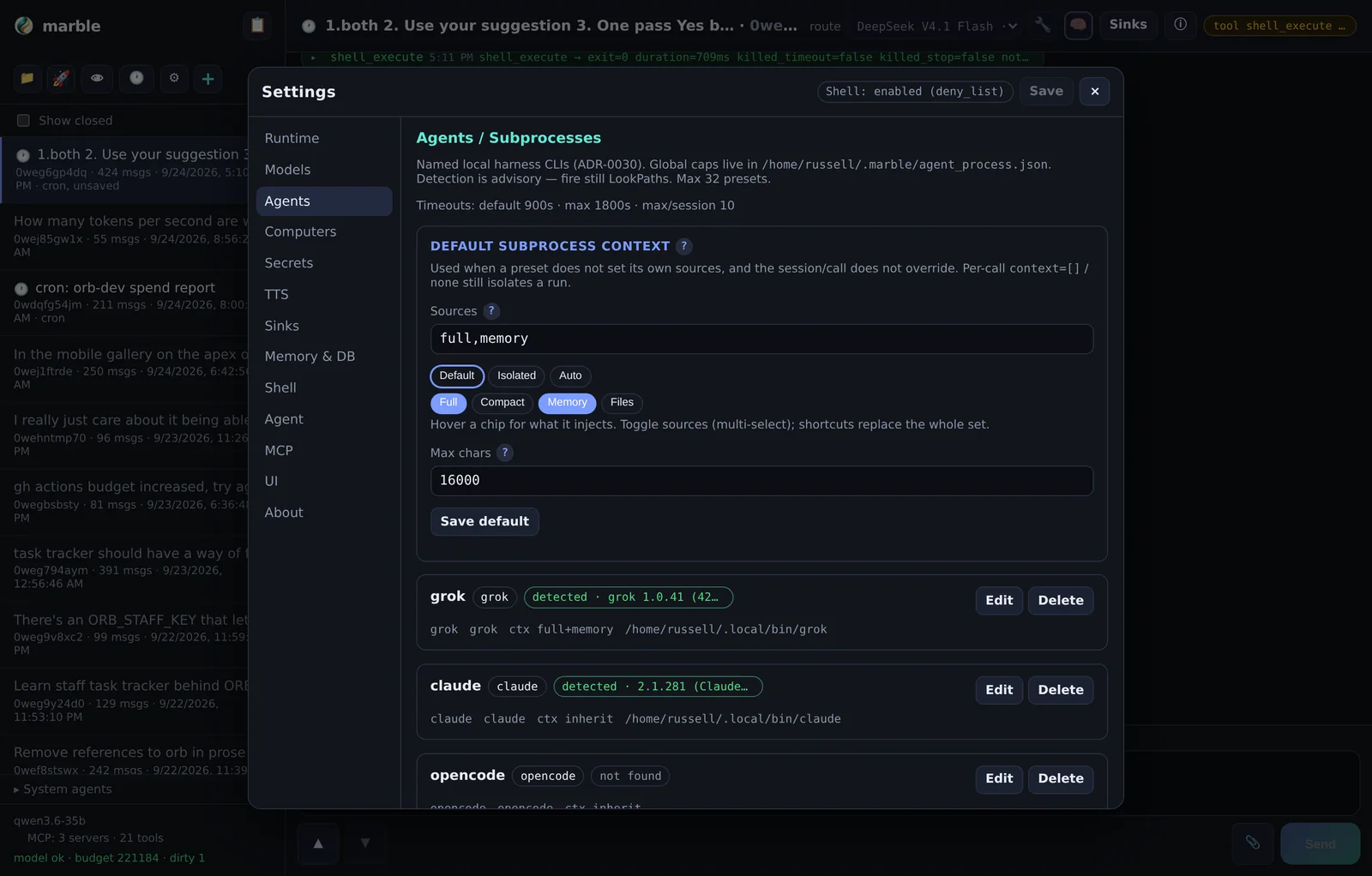
Agent presets (ADR-0030) are named subprocess configurations — a driver
(grok, claude, opencode), a command, and defaults. Marble
detects which ones are installed on the host and shows a badge.
Three ways to route
| Scope | How | Use when |
|---|---|---|
| One turn | Long-press / right-click Send | A single task belongs elsewhere. |
| Whole session | The route picker in the header | This conversation is that agent's job. |
| By schedule | A model_id pin on a cron job | The nightly job should run on a specific model. |
When a session is locked to a preset, every user turn goes to that subprocess and the Marble model is not called at all.
Cost note
Because a routed session bypasses the Marble model entirely, the token accounting you see in session info no longer describes what you are paying for. The subprocess has its own billing.
Workspace explorer
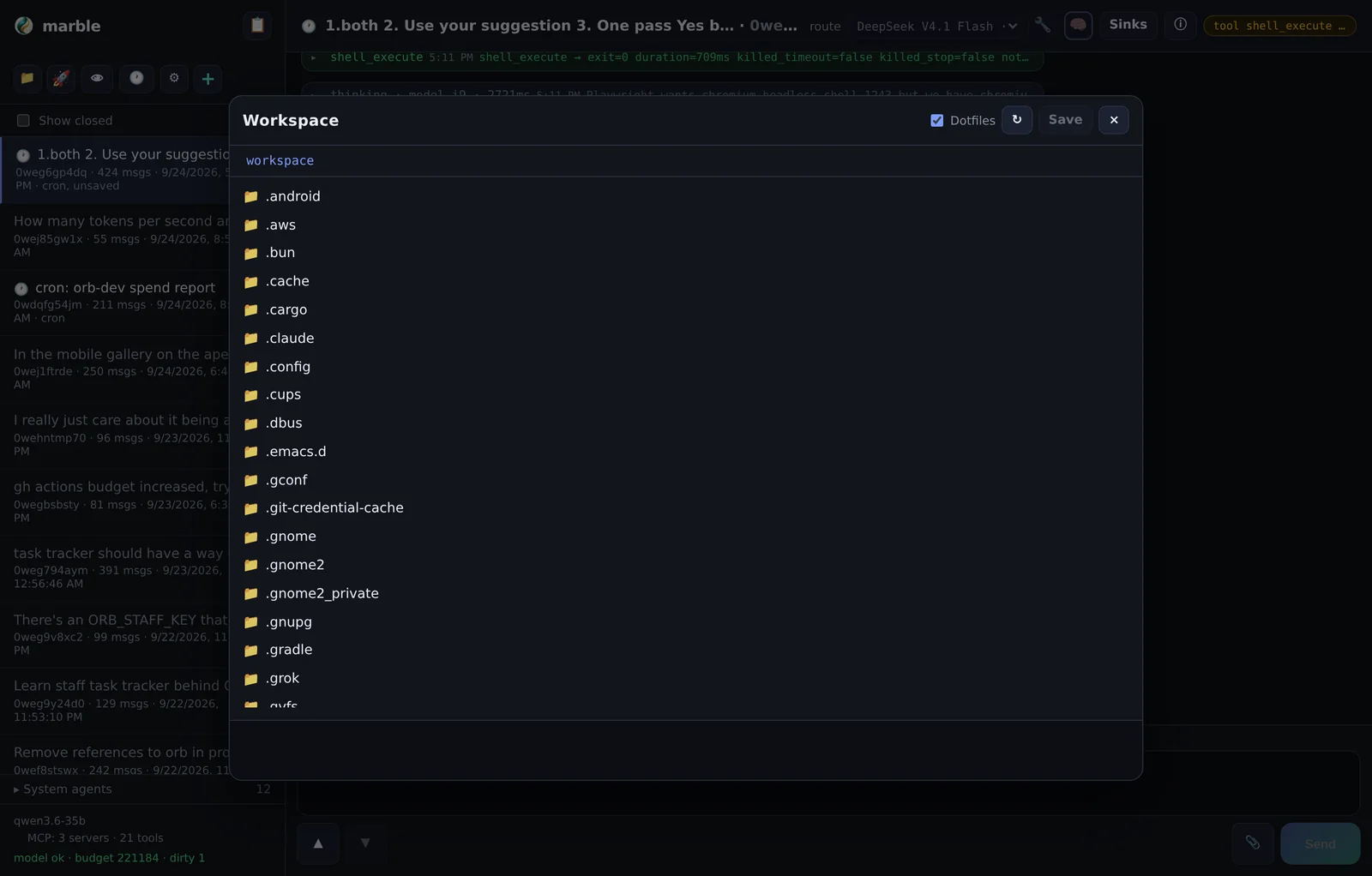
The 📁 button opens a file browser over the same jail the agent's filesystem tools use (ADR-0004). Browse, open, edit and upload — without leaving the UI or opening a shell.
What it is for
- Checking the agent's work. When it says it wrote a config file, look at it.
- Small edits without a shell. Fix a typo in a script the agent wrote.
- Uploads. Drag a file in where the agent can reach it — the same jail, so the agent sees it immediately.
- Retrieving output. Pull out a generated image, CSV or report.
$MEMORY directory is normally outside it, so memory and secrets are not browsable from
here — that separation is deliberate.Clerk — the attention dashboard
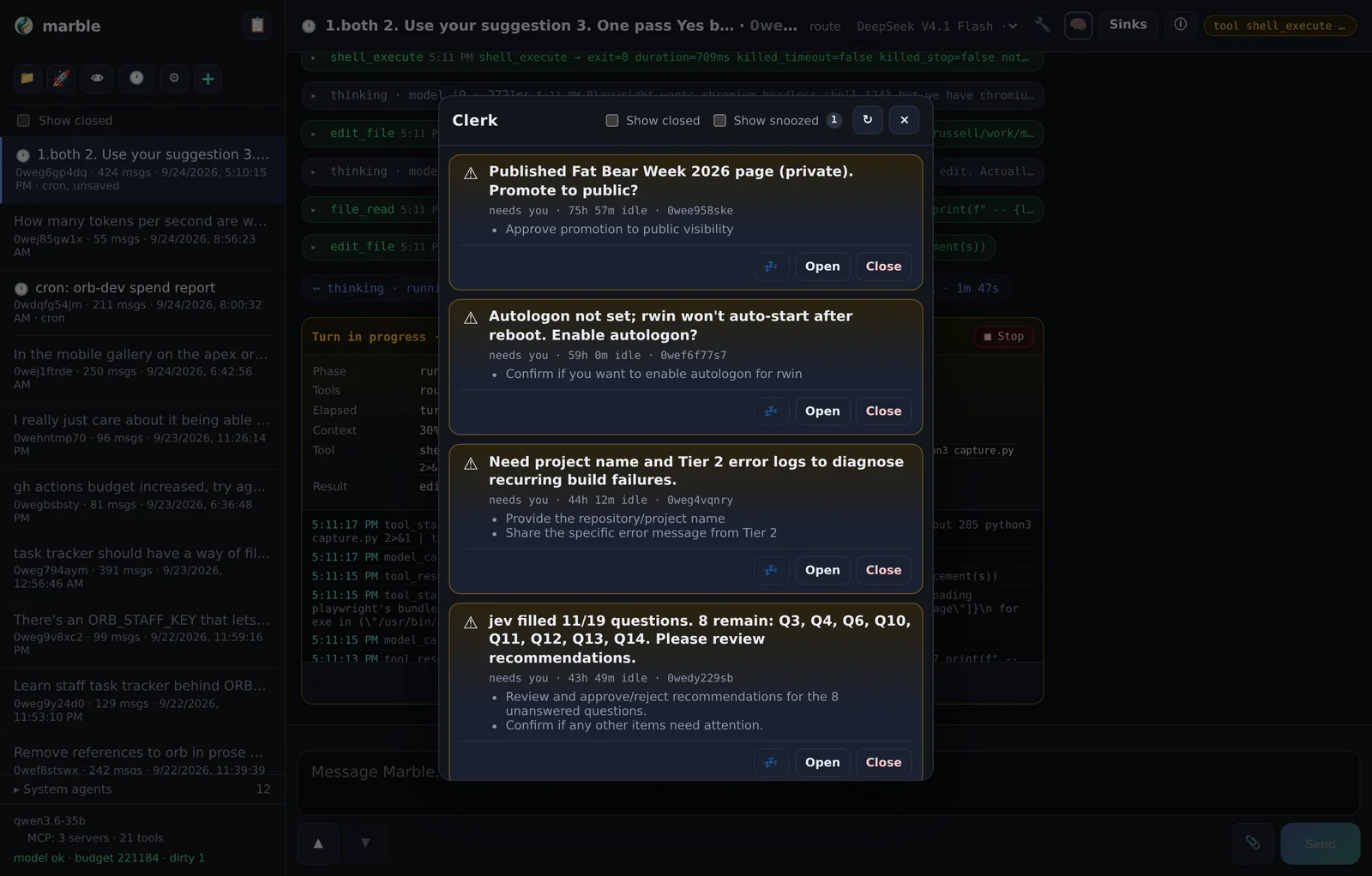
Long-running agents accumulate sessions. Clerk (📋, ADR-0023) answers one question: what needs my attention right now? It summarises sessions, surfaces ones that are blocked on you, and lets you jump straight in.
Features
| Control | Purpose |
|---|---|
| Summaries | A short read on where each active session stands. |
| Needs-you | Flags sessions waiting on a decision or a confirmation. |
| Snooze | Hide a session until later; a badge shows how many are snoozed. |
| Show closed / snoozed | Reveal the sessions you have filtered out. |
| Jump | Open the session directly. |
Clerk state is durable (schema v6–v7) — snoozes survive a restart.
Cron jobs
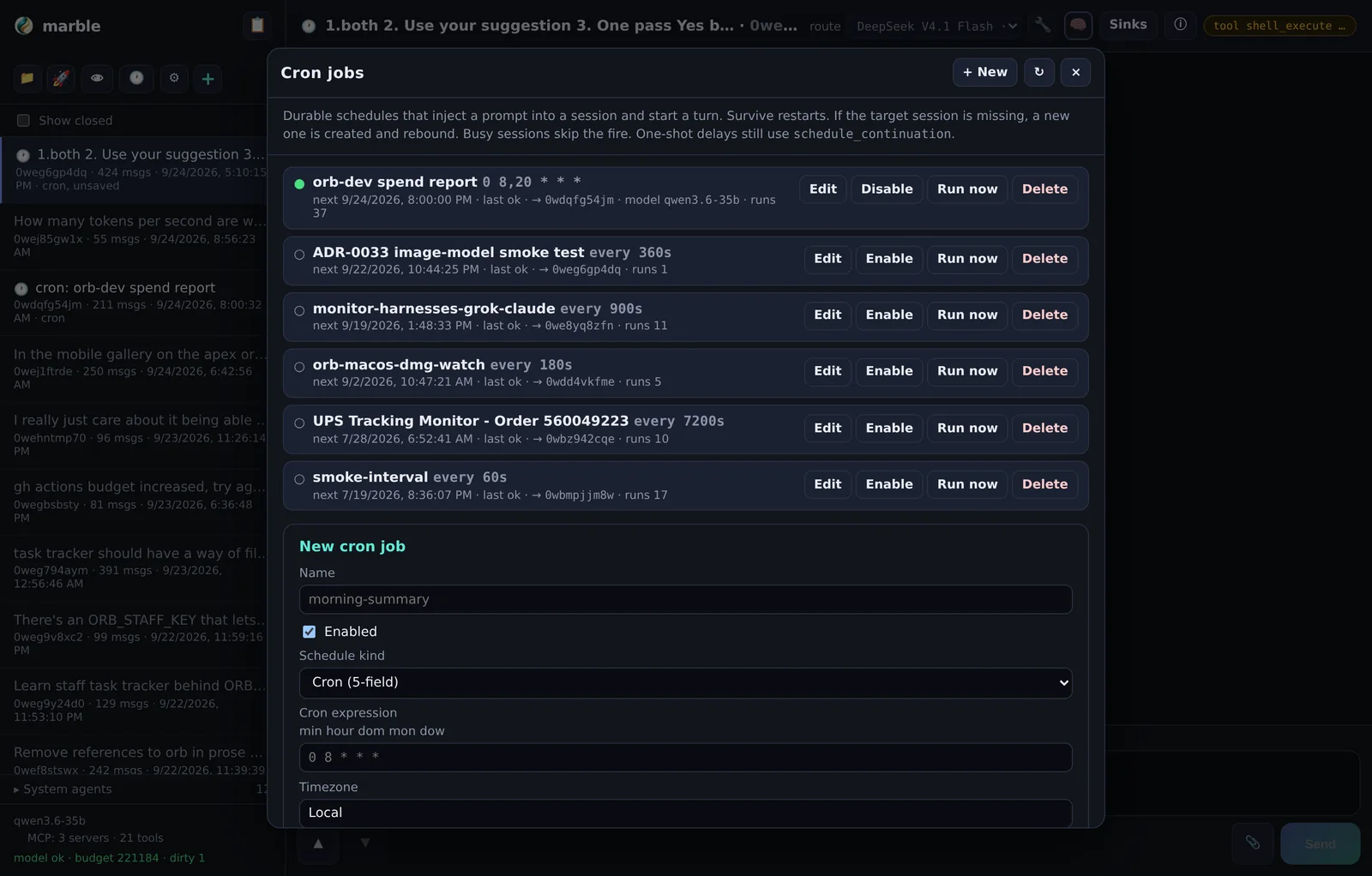
Cron jobs are durable recurring schedules stored in SQLite (ADR-0015). They survive restarts and keep firing when you are asleep — provided the process is running and, on a laptop, that lingering is enabled.
Two schedule kinds
| Kind | Syntax | Minimum |
|---|---|---|
| cron | 5-field: min hour dom mon dow | — |
| interval | seconds | 60 s |
On fire the harness injects [cron:id name] plus your prompt into the target session
and starts a turn. If the target session is missing it is created and the job is rebound; if the
session is busy the fire is skipped; if the model is down or the harness is in limp mode,
fires pause.
Limits
| Limit | Value |
|---|---|
| Jobs | 50 |
| Concurrent cron turns | 3 |
| Run history | Last 50 per job and/or 30 days |
Jobs can pin a model_id, so a cheap nightly job can run on a cheap model while your
interactive sessions use a larger one. Sessions bound to a cron job show a 🕐 badge in the sidebar.
schedule_continuation — a one-shot that does not create a durable job.Typical uses
- A Friday inbox triage that writes a summary and pings you via a sink.
- A nightly repo sweep that writes findings to knowledge memory.
- A morning briefing that reads what overnight jobs produced.
Turn sinks
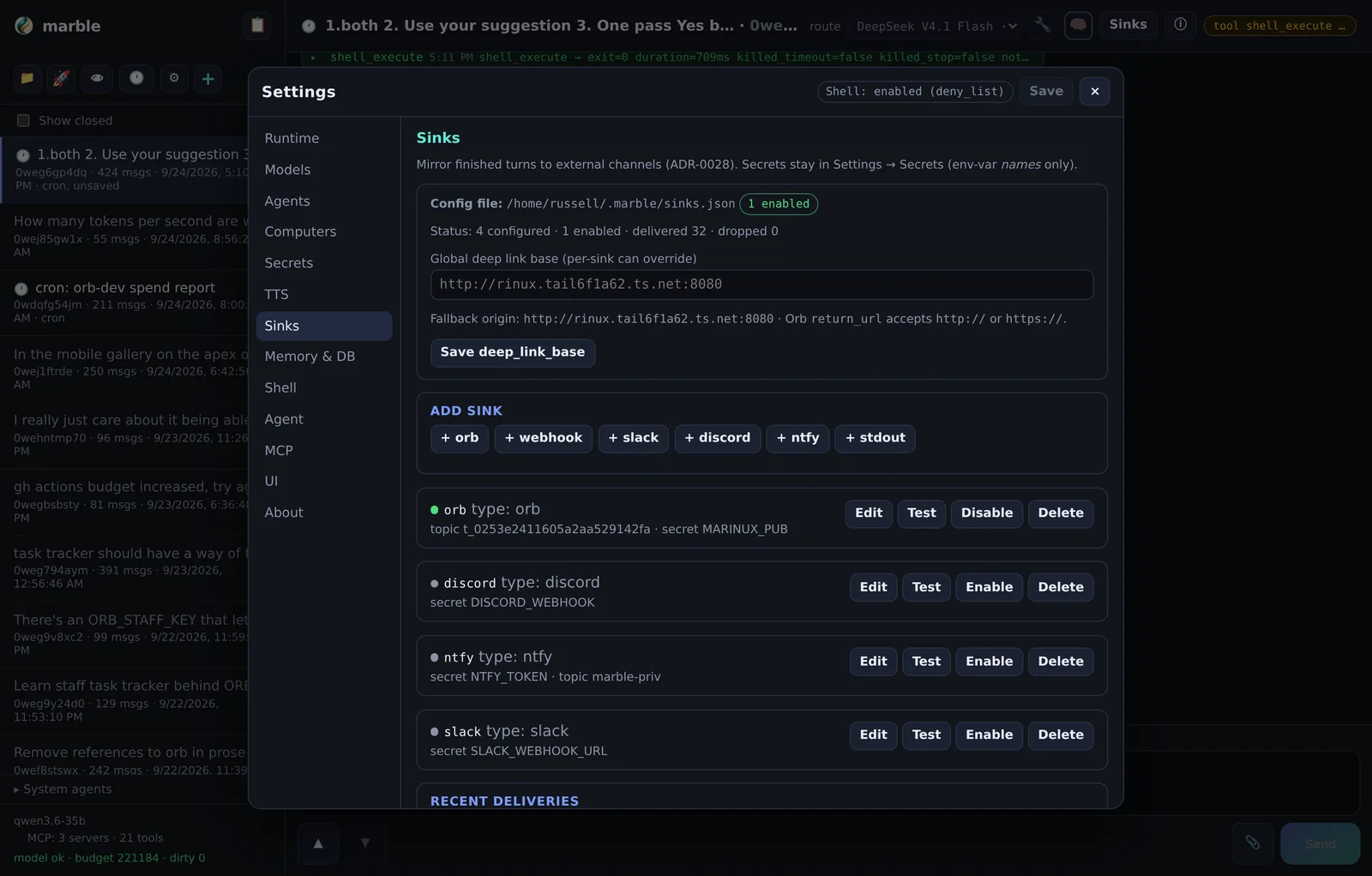
A sink mirrors finished turns to an external channel (ADR-0028). When a session goes idle, the final assistant message is delivered to every enabled sink whose filters pass.
Supported sinks
| Type | Needs | Success code | Format |
|---|---|---|---|
| Orb | topic_id + secret_env | 202 | Markdown; sets X-Orb-Return-Url and X-Orb-Run-Id so clients can group turns |
| Slack | Incoming-webhook URL | 200 (ok) | Block Kit |
| ntfy | topic (token optional) | 200 | Title / Click / Priority headers, plain body |
| Discord | Webhook URL | 204 | Embed |
| webhook | url + template | 2xx | Your Go template |
| stdout | — | — | Plain or JSON to the harness log |
Filters
Each sink chooses which turn kinds it mirrors (complete, error,
stop, cron, continuation) and can skip empty turns and
cron fires. The defaults are complete + error, skip empty, skip cron — cron is excluded by
default so a chatty nightly job does not flood you.
Per-session control
Overrides are per session: inherit (use the global setting),
on, or off. That means you can silence a noisy session without disabling the sink
everywhere. manage_sinks exposes the same actions to the agent.
200, the sink history
says ok, the message is on the server, and the client shows nothing. Sign in on every
device you want notified, or use a public topic with a long random name.tk_…) into the topic field. A token in the topic field publishes to a topic literally
named after your credential.mrkdwn is a smaller dialect than Markdown. Marble
sends the turn's raw text, so **bold**, ## headings and tables render as
literal punctuation in Slack. Discord and Orb do not have this problem. It is cosmetic — the
message still delivers with a 200.username on modern app webhooks — the author is whatever you
named the app. Name the Slack app marble if you want the messages to say so.Deep links
Sinks include a link back to the session. With no deep_link_base configured that is
the harness's own address — fine on your own devices, a dead link for anyone else. Set a
global deep link base if the people receiving notifications are not on your
tailnet.
Remote computer use
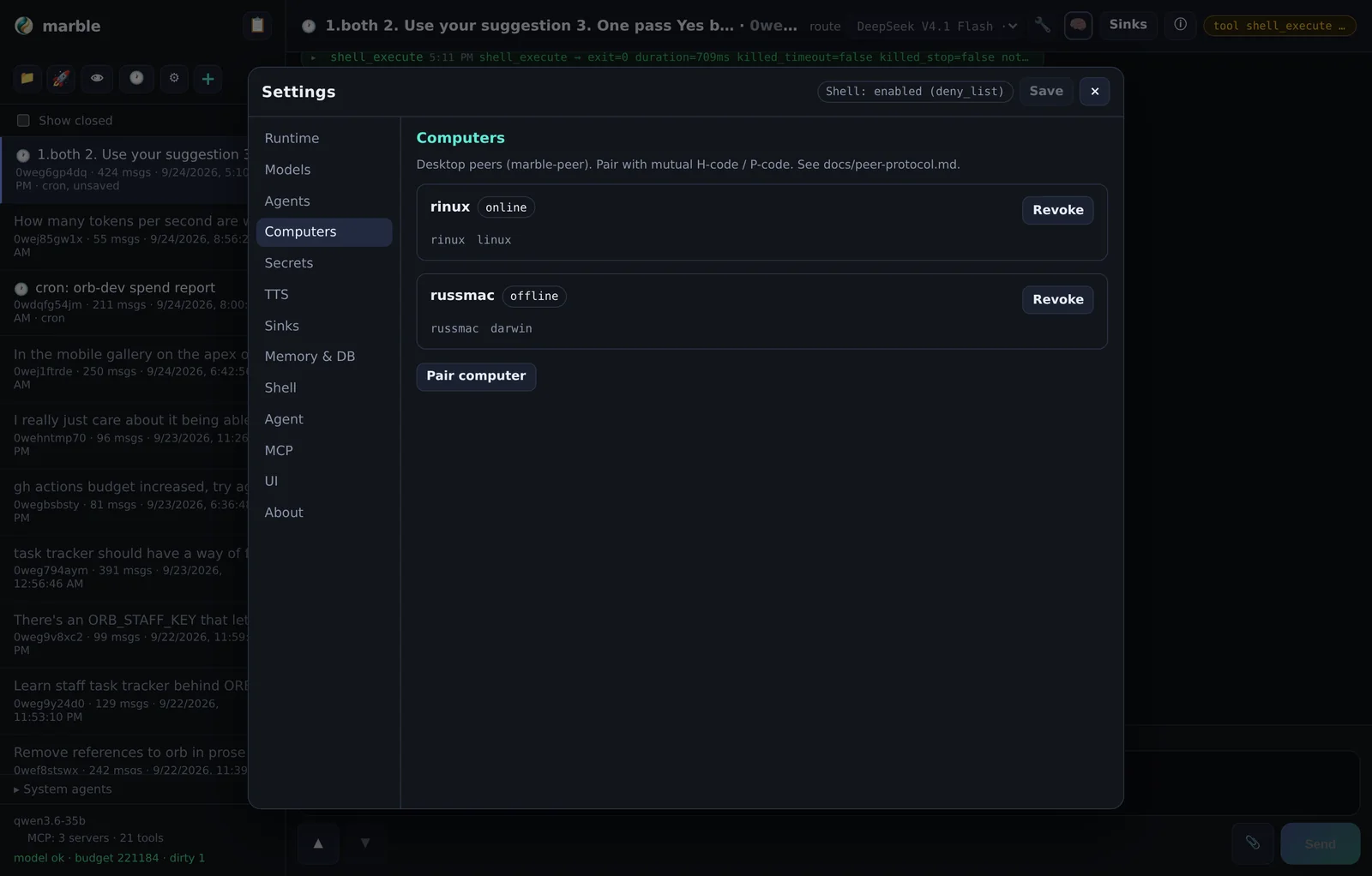
The harness can drive a real desktop through a paired Marble Peer (ADR-0020, ADR-0021). This is a separate component you install on a machine where you are logged in.
| Tool | What it does |
|---|---|
computer_screenshot | Capture the peer's screen as an image. |
computer_browser_* | Drive a real Chrome over CDP — tabs, clicks, form fills, snapshots. |
computer_desktop_act | OS-level click, type and key events. |
computer_exec | Run a command on the peer and read its output. |
computer_confirm | Ask a human to Accept/Deny a risky action. |
Confirmations
Money and auth actions route through an Accept/Deny card — shown both in the session UI and on
the peer itself, with a Tailscale-reachable /confirm/{id} link. The default is
deny on timeout.
computer_exec, not a screenshot of a terminal. A terminal window truncates at its
visible height with no way to scroll, so output you cannot see is indistinguishable from a command
that never ran.Browser sessions
Chrome blocks debugging on the daily profile, so the peer syncs logins into a mirror profile and attaches there. Your logged-in sessions carry over without handing the automation your main profile.
Memory, knowledge and skills
Everything durable lives under ~/.marble/ by default. Transcripts are plain
Markdown; structured state is SQLite.
~/.marble/
├── marble.db              # SQLite (WAL): sessions, events, settings, cron,
│                          #   model_catalog, attachments, computers, clerk, daemon
├── marble.lock            # single-writer lock
├── session/<id>.md        # first-class transcripts
├── daily/YYYY-MM-DD.md
├── blobs/                 # large payload spill
├── attachments/           # staged/committed chat files
├── knowledge/             # memory_write target
├── skills/                # optional skills
├── mpub/<slug>/           # published pages
├── soul.md                # optional every-turn context
├── mcp.json               # optional MCP servers
├── tts.json               # optional server-side TTS
└── env                    # secrets (mode 0600)
Three kinds of memory
| Layer | Written | Read |
|---|---|---|
| Session | Every turn, automatically | Continuing the conversation. |
| Daily | Automatic rollups | Reviewing what you did on a date. |
| Knowledge | Deliberately, via memory_write | Retrieved by memory_search. |
The distinction matters. Session memory is free but enormous and unstructured. Knowledge memory is intentional — it is where you put the thing you want the agent to know next month.
Skills
Skills are procedural playbooks — multi-step recipes the agent loads when relevant rather than
carrying in the prompt. skill_search finds them by keyword;
skill_load pulls one in.
Maintenance
A background daemon flushes periodically, prunes closed sessions, garbage-collects blobs and attachments, and runs daily compaction. If the database schema is unreadable the harness drops into limp mode: chat and Markdown still work, and a banner explains why.
Secrets and env
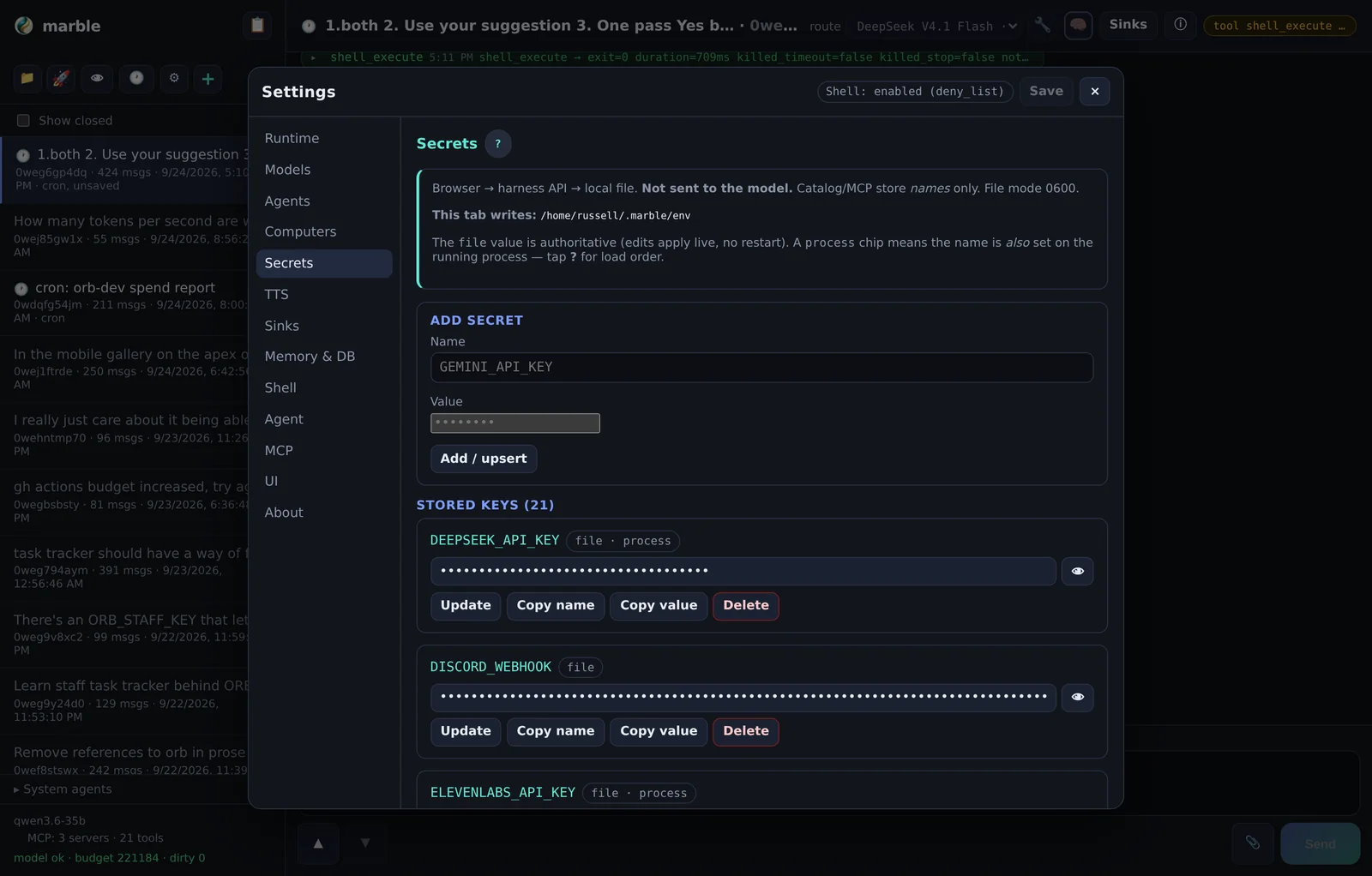
Provider keys never enter the transcript, the database, or the model's context. Catalog entries
store an env var name; the value lives in $MEMORY/env at mode
0600.
Resolution order
| Order | Source | Notes |
|---|---|---|
| 1 | $MEMORY/env | Authoritative. Re-read live (~2s), so edits apply without a restart. |
| 2 | Process environment | Fallback for names the file does not define. |
EnvironmentFile= snapshot) is ignored. Delete a name from the file, however,
and the process copy becomes visible again until you restart.What this buys you
- The agent can be given a capability by name without ever handling the credential.
- Rotating a key means editing one file, not editing every place it was pasted.
- Backups of the database do not leak keys.
umask 077
printf 'OPENAI_API_KEY=sk-...\n' >> ~/.marble/env
# or: Settings → Secrets in the UI (no restart needed)mpub — publishing pages
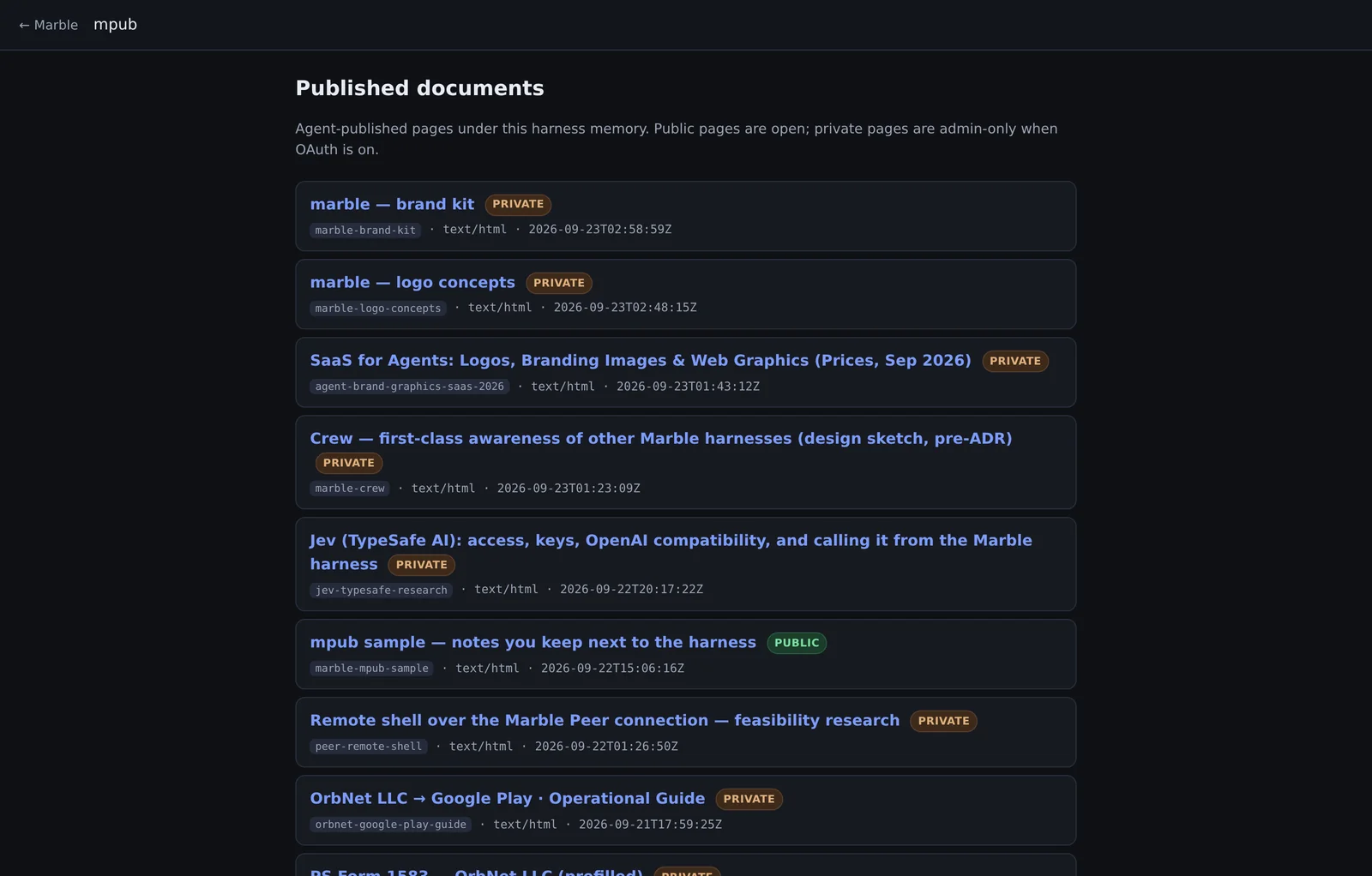
mpub publishes HTML or Markdown as a page at /mpub/{slug}, with images,
straight from the agent (ADR-0009). It is how you get research notes, reports and this kind of
document out of a session and into a URL.
Assets
Pass workspace image paths in assets and reference them by bare file
name — <img src="shot.png">. They are stored beside the page and served
at the same visibility. Limits: 10 MiB each, 50 per page.
content_path
rather than pasting it through a tool call.Visibility
| Visibility | Who can read it |
|---|---|
| private (default) | Allowlisted admins when auth is on; everyone in open mode. |
| public | Anyone, no login. |
Promote or demote later with mpub_set_visibility — no need to rewrite the body.
404, so a private
page's existence is not leaked. Every mpub response sends a strict CSP that disables scripts.Server-side speech
The harness can speak a session's replies aloud (ADR-0027), configured in
tts.json with an ELEVENLABS_API_KEY. It is off by default
— key absent means the feature is inert, not broken.
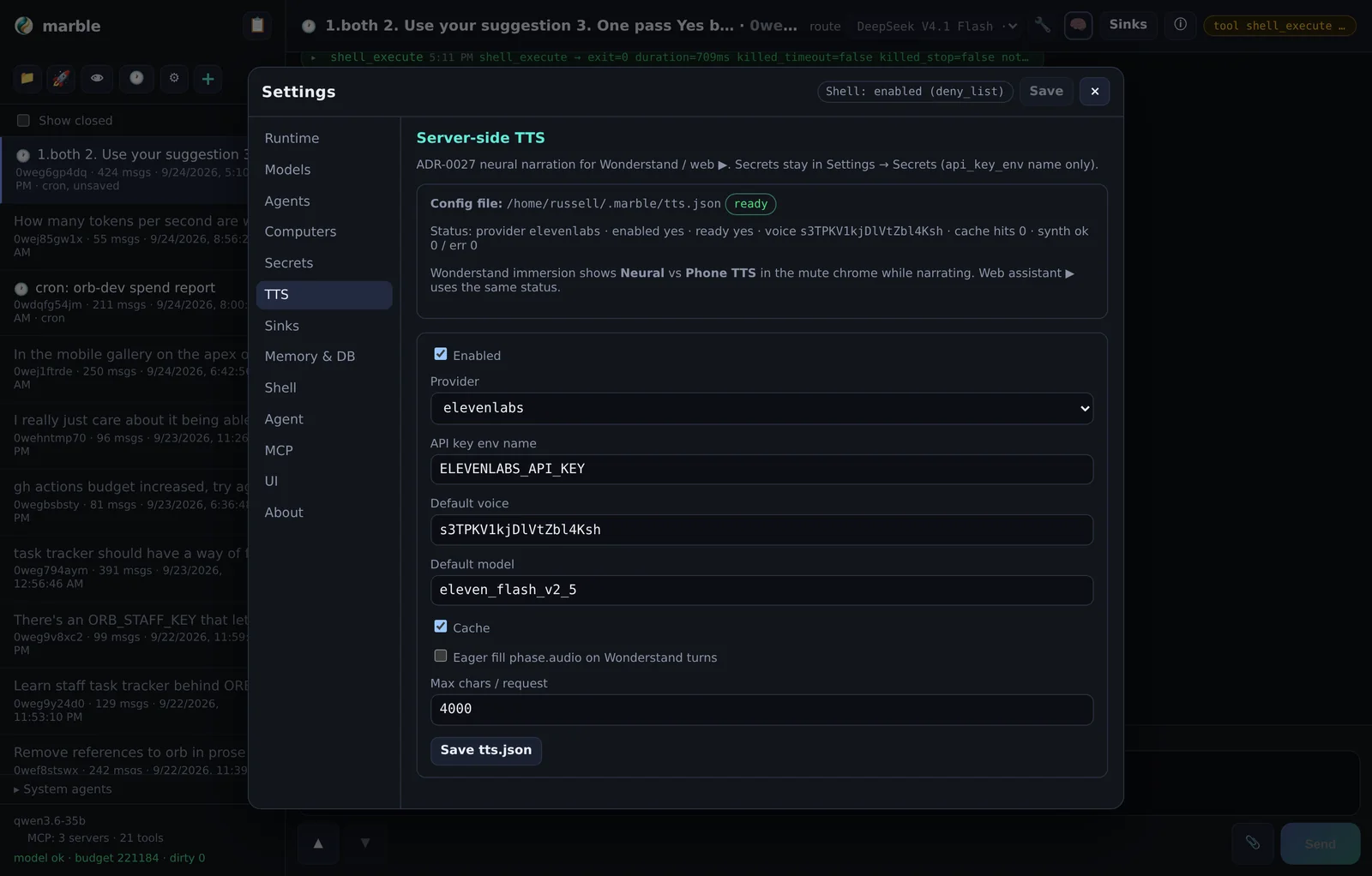
Audio is attached to the session and fetched inline, with an optional cross-session cache in
tts-cache/ so repeated phrases are not re-synthesised.
Auth and access
Two modes (ADR-0017):
| Mode | Behaviour |
|---|---|
| open (default) | No login. Local-operator trust model — right for a box only you can reach, including over Tailscale. |
| Sign in with Google once OAuth flags and an allowlist are complete. |
Allowlisted users are full admins, and chat sessions are shared — this is a single-operator tool, not a multi-tenant service.
For TLS, either pass certificate and key files or terminate TLS at a reverse proxy. Login is rate-limited and pending OAuth state is capped to blunt trivial DoS.
Settings reference
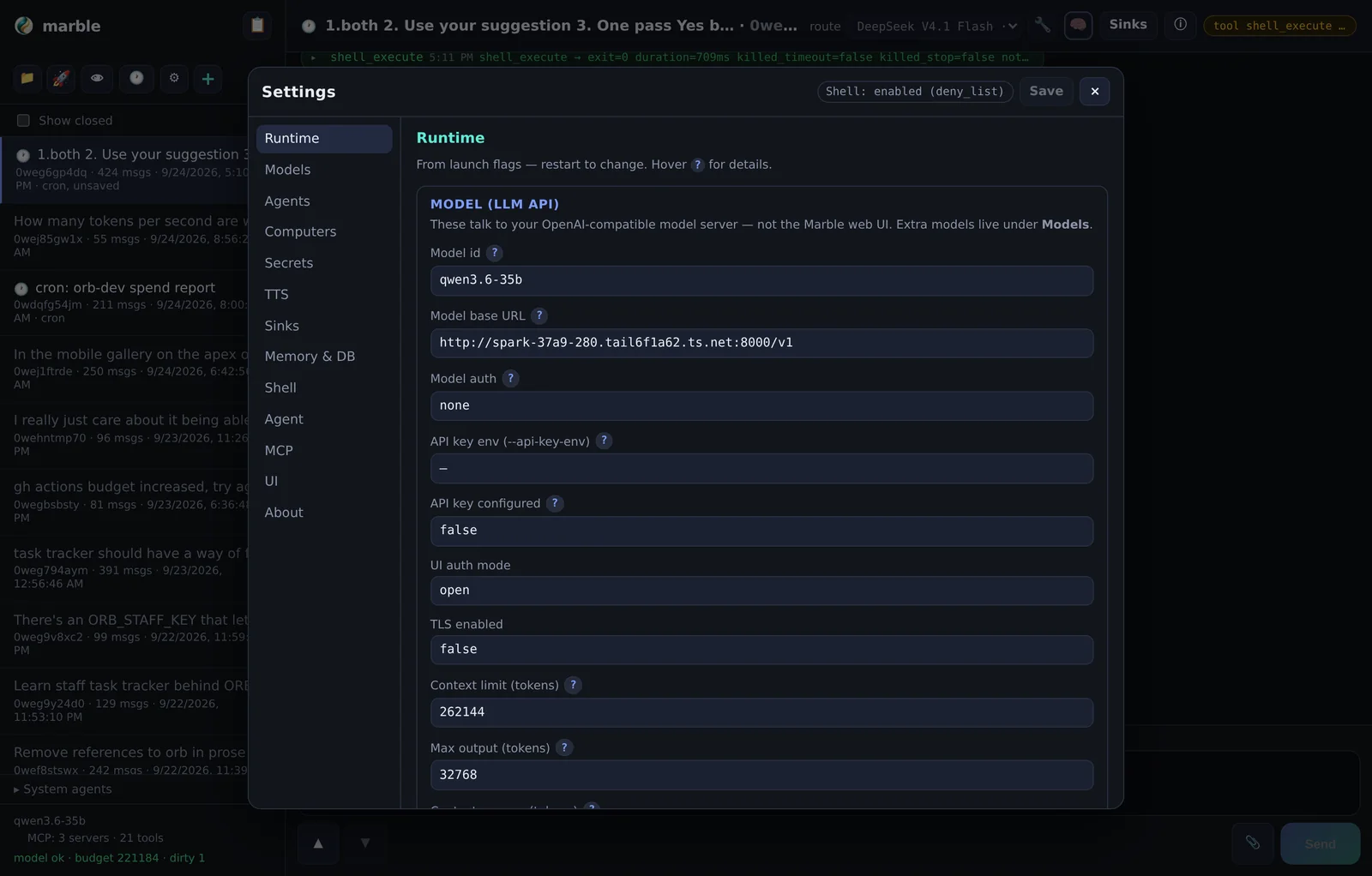
Settings is a modal with a nav rail. Thirteen tabs:
| Tab | What lives there |
|---|---|
| Runtime | Process default model and endpoint, listen address, auth mode. |
| Models | The catalog — endpoints, models, kind, capabilities, limits. |
| Agents | Subprocess presets and default context injection. |
| Computers | Paired peers — pair, revoke. |
| Secrets | $MEMORY/env editing, with live re-read. |
| TTS | Speech provider and voice. |
| Sinks | Turn mirrors, filters, delivery history. |
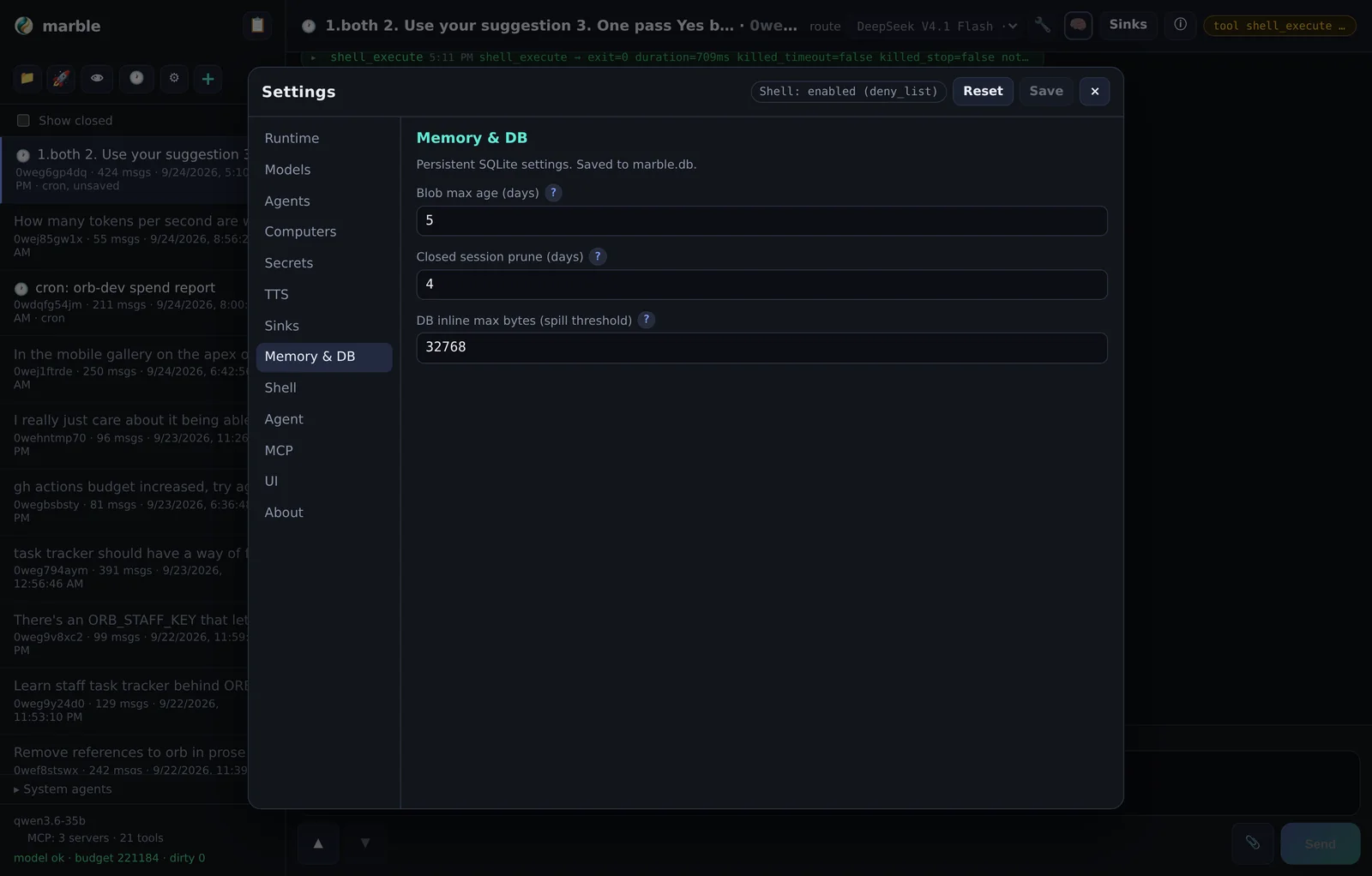
| Memory & DB | Memory paths and database settings. |
| Shell | Shell policy and limits. |
| Agent | Subprocess defaults and context. |
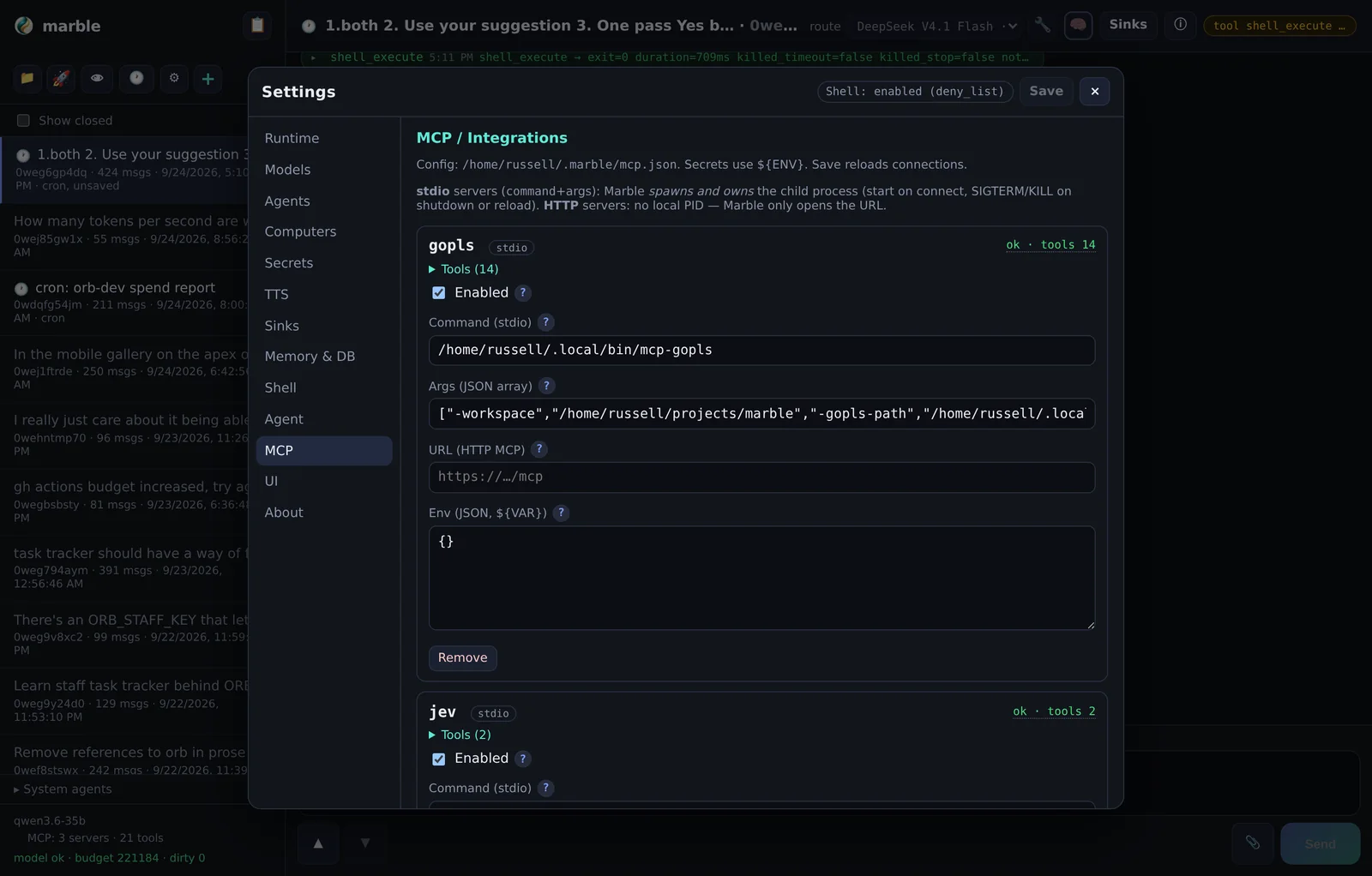
| MCP | MCP servers from mcp.json. |
| UI | Density defaults, theme, interface preferences. |
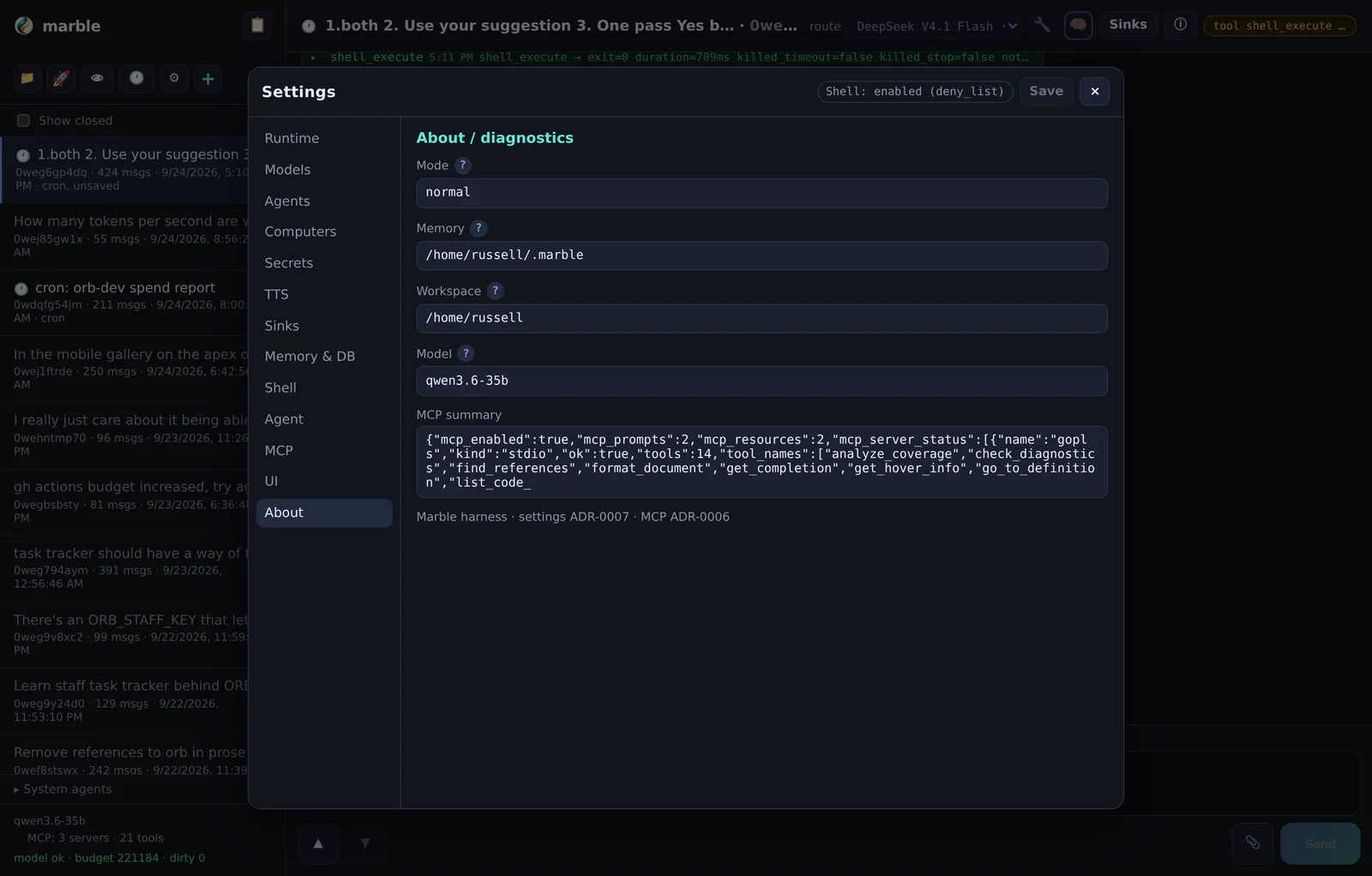
| About | Version and build information. |
Wonderstand (experimental)
Wonderstand is an experimental client direction: a lightweight client that
renders harness output without executing scripts, aimed at small screens and constrained devices.
Its protocol is specified in ADR-0024 (client) and ADR-0025 (protocol), with a payload sketch in
docs/wonderstand-protocol-sketch.md.
| Piece | Where |
|---|---|
| Client design | ADR-0024 — pointer |
| Protocol | ADR-0025 — accepted |
| Payload sketch | docs/wonderstand-protocol-sketch.md |
| Reference client | A separate Android project (Kotlin/Gradle) |
What the protocol does
The harness emits structured payloads — text, speech text, and inline SVG — for a client that deliberately does not run scripts. Rendering is declarative, which is what makes it safe to hand harness output to a thin client.
Status
Experimental. Not part of the supported feature set, not required for anything described above, and placed at the end of these docs on purpose.